Set Up Your Public Booking Page
Your booking page is a public landing page that lists your booking links, so schedulers can find the right way to book time with you. It lives at app.onecal.io/b/your-username, and you configure it under Settings → Booking Page.

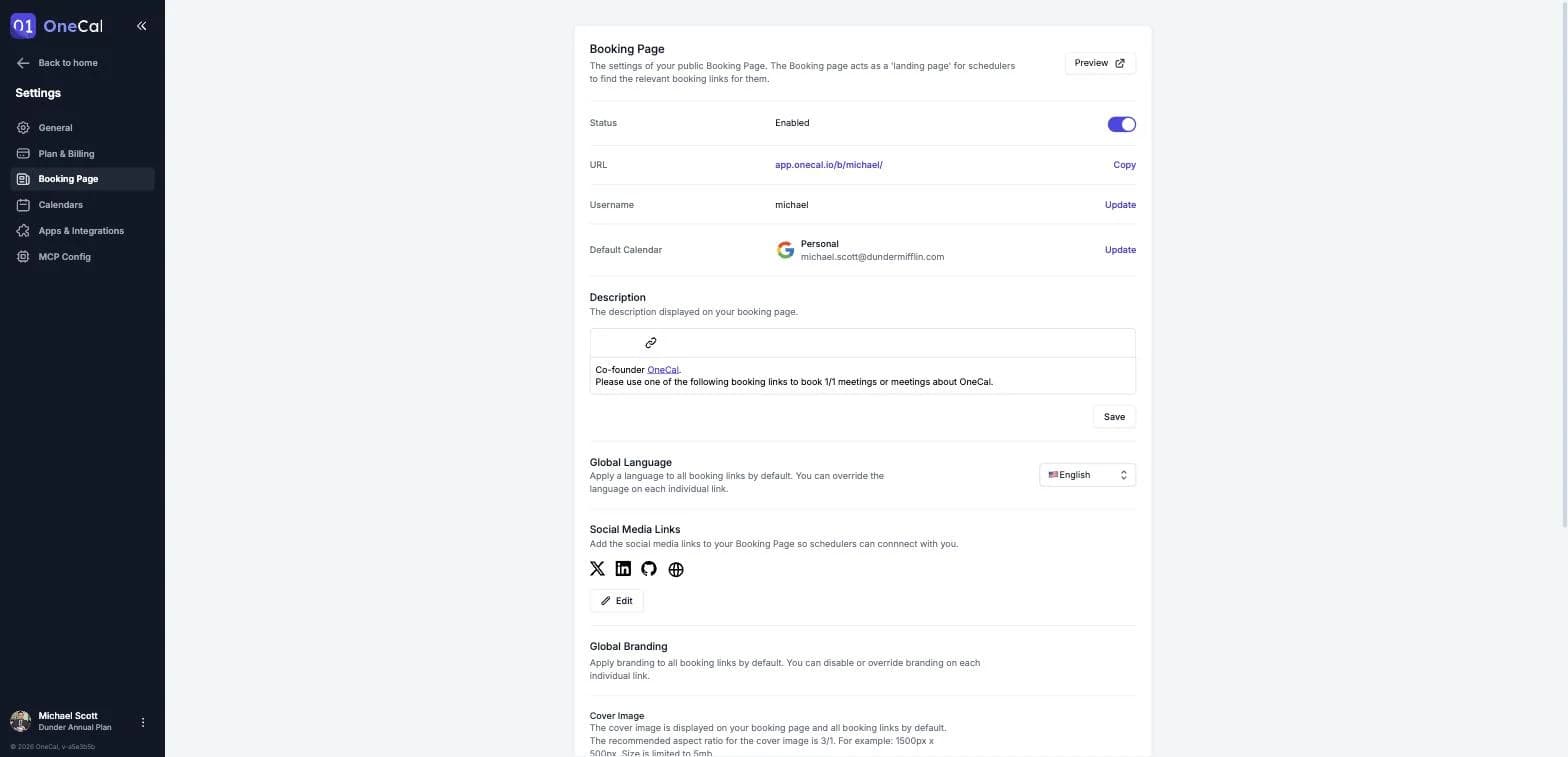
Page settings
- Status: Enable or disable your booking page. When disabled, your individual booking links keep working, only the booking page is off.
- Username: Your public URL. 3 to 100 characters, letters, numbers, dashes and underscores.
- Description: A rich-text description shown on your booking page, introduce yourself and what people can book you for.
- Global Language: The default language for all your booking links. You can override it per link. See Language Preference.
- Social Media Links: Add your X, LinkedIn, Instagram, Facebook, TikTok, GitHub or Pinterest profiles, plus any custom links with their own labels. They appear as icons on your booking page.
Default Calendar
The calendar that new booking links add their events to is now set under Settings → Calendars, as described in Set Your Default Calendar.
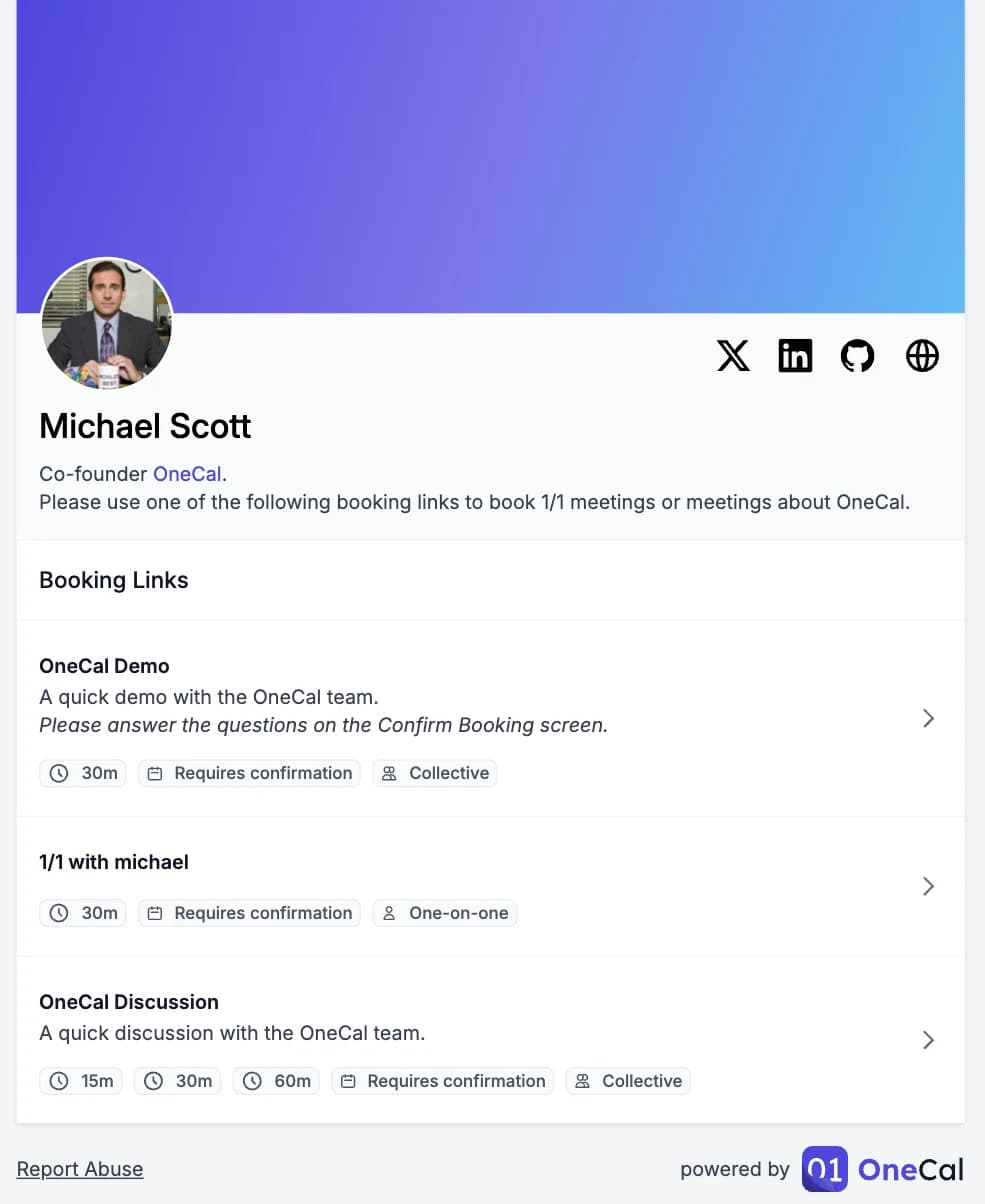
Global branding
- Cover Image: Shown on your booking page and on all booking links by default. The recommended aspect ratio is 3:1, for example 1500 x 500 pixels, up to 5 MB.
- Brand Color: The main color of your booking page and booking links, including buttons.
- Default Layout: The layout new booking links open with: the Monthly View, the Weekly View or the Column View. Existing links keep their own layout. See Booking Link Layouts.
You can override or disable branding on each individual link. See Custom Branding.
Good To Know
On the Premium plan you can also remove the OneCal branding from your booking page, booking links and calendar events, using the "Remove OneCal branding" toggle at the bottom of the Booking Page settings.