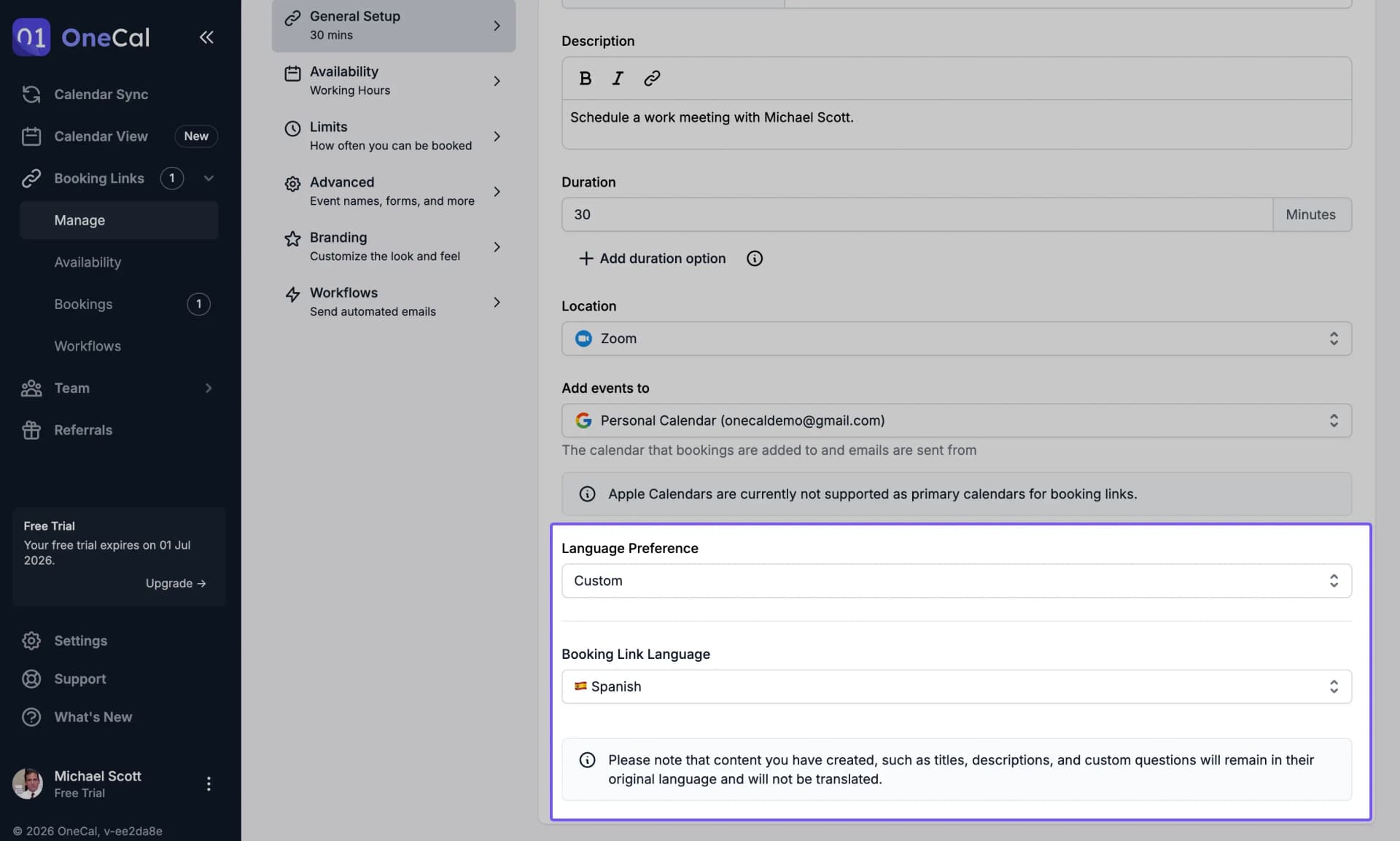
Language Preference
OneCal allows you to change the language for your Booking Links either individually or globally for all booking links.

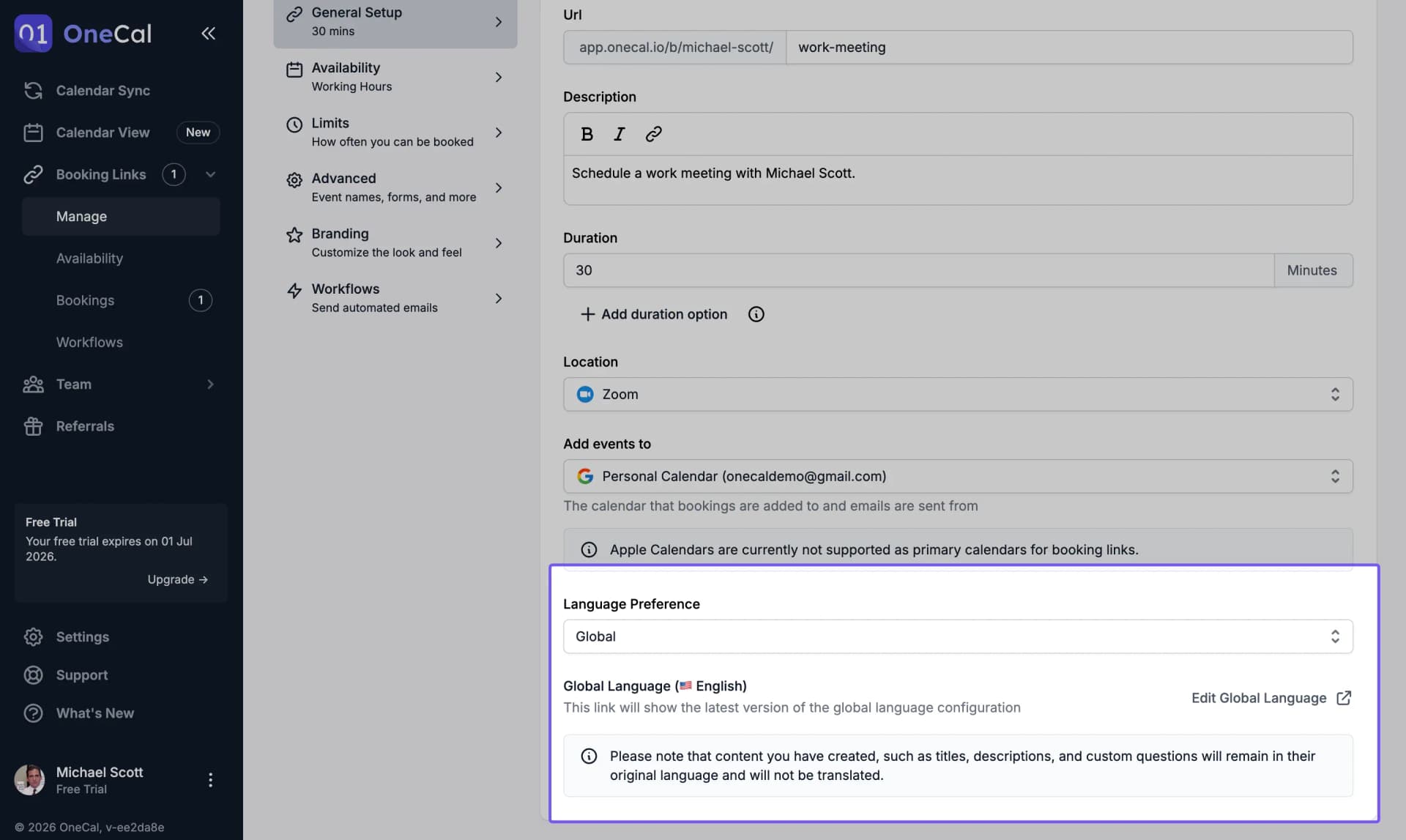
Global Language Preference
By default, all your Booking Links will use the Global Language preference. This will initially match the language of your OneCal interface. You can change the Global Language Preference by navigating to Settings > Booking Page. In the Booking Page settings, look for "Global Language".
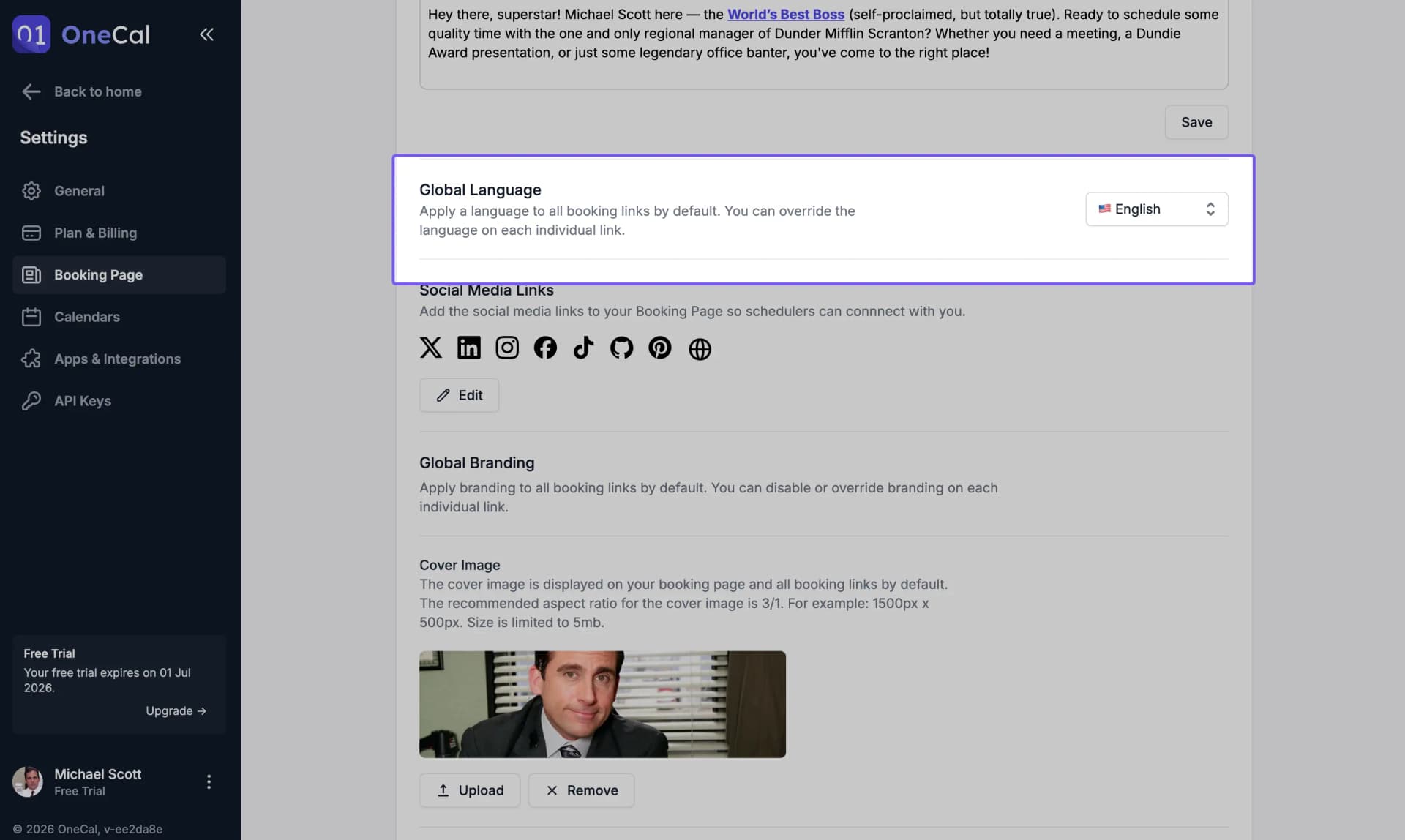
Good To Know
You can set your Global Language Preference to be different from your OneCal's UI interface language.
Custom Language Preference
If you don’t want to use the same language for all Booking Links, you can override the language for each booking link individually. This is especially useful if you have separate Booking Links for clients in different countries and want to share each link in the client’s native language.