Set Your Default Calendar
Your default calendar is the calendar OneCal picks for you whenever you create something new, and it is used in two places:
- Unified Calendar View: New events you create are added to your default calendar.
- Booking Links: New booking links add their bookings to your default calendar, through the Add events to setting of the booking link.
You only need to set it once, and you can still pick a different calendar for a single event or booking link whenever you need to.
Choose your default calendar
Go to Settings → Calendars and open the Default Calendar menu at the top of the page, where your calendars are grouped by calendar account. When you pick a calendar, OneCal saves your choice right away.

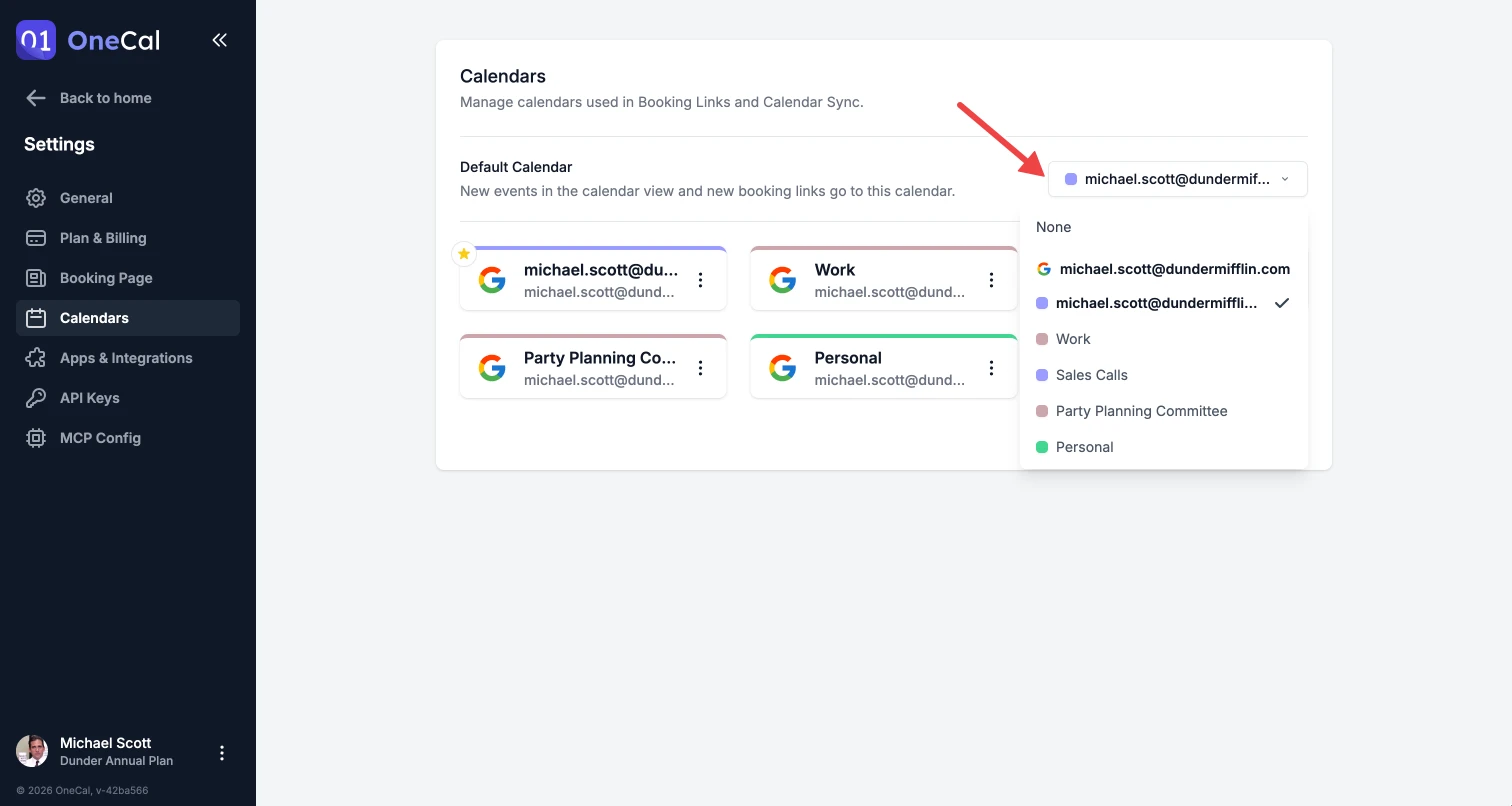
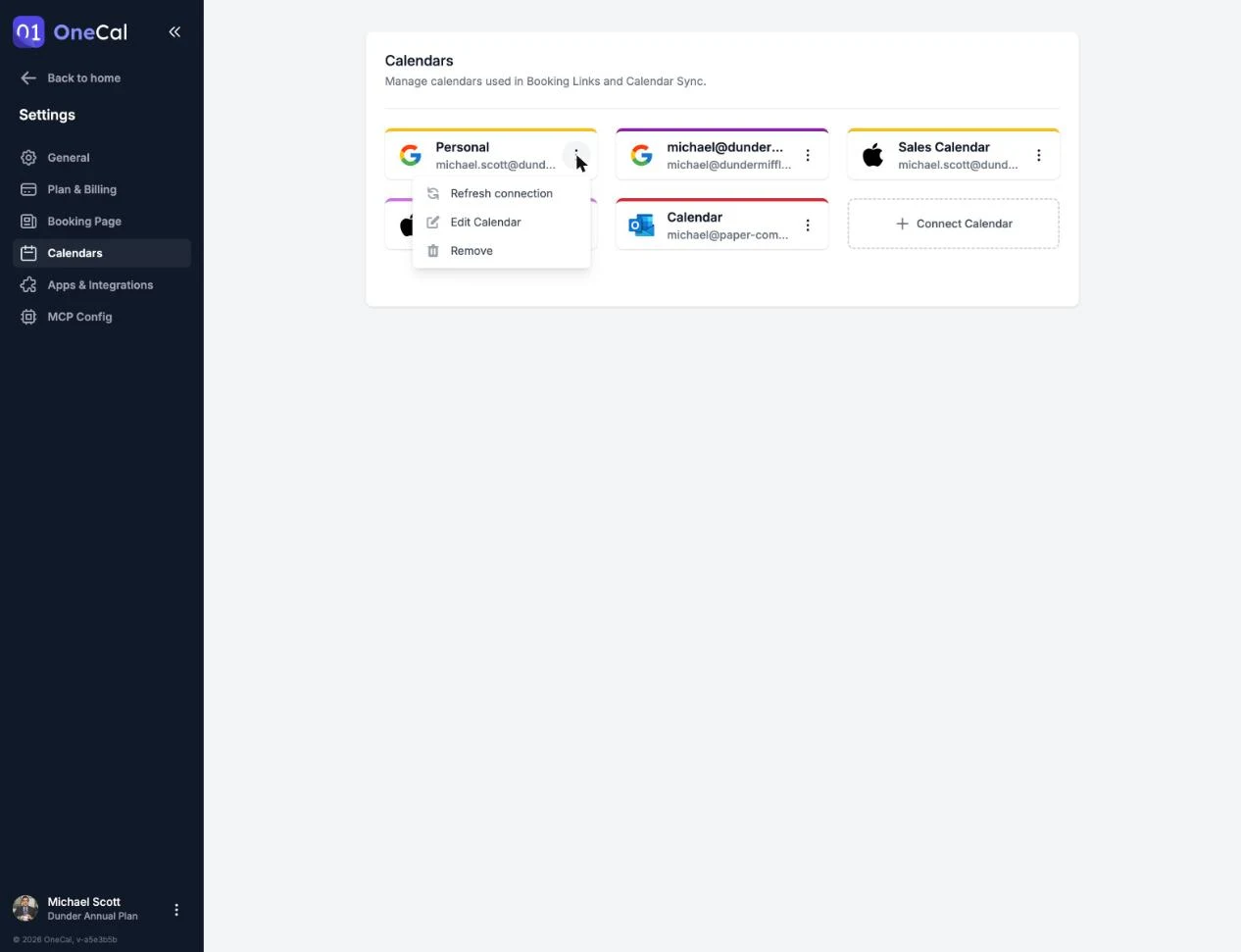
You can also set the default from a calendar card by opening the card menu and clicking Set default, and the card of your default calendar is then marked with a yellow star.
Good To Know
Only calendars that OneCal can write to can be your default calendar, so read-only calendars, such as shared calendars where you only have view access, are not listed.
In the Unified Calendar View
When you create an event, the Calendar field is already set to your default calendar, and you can still change it for that event before you save it.
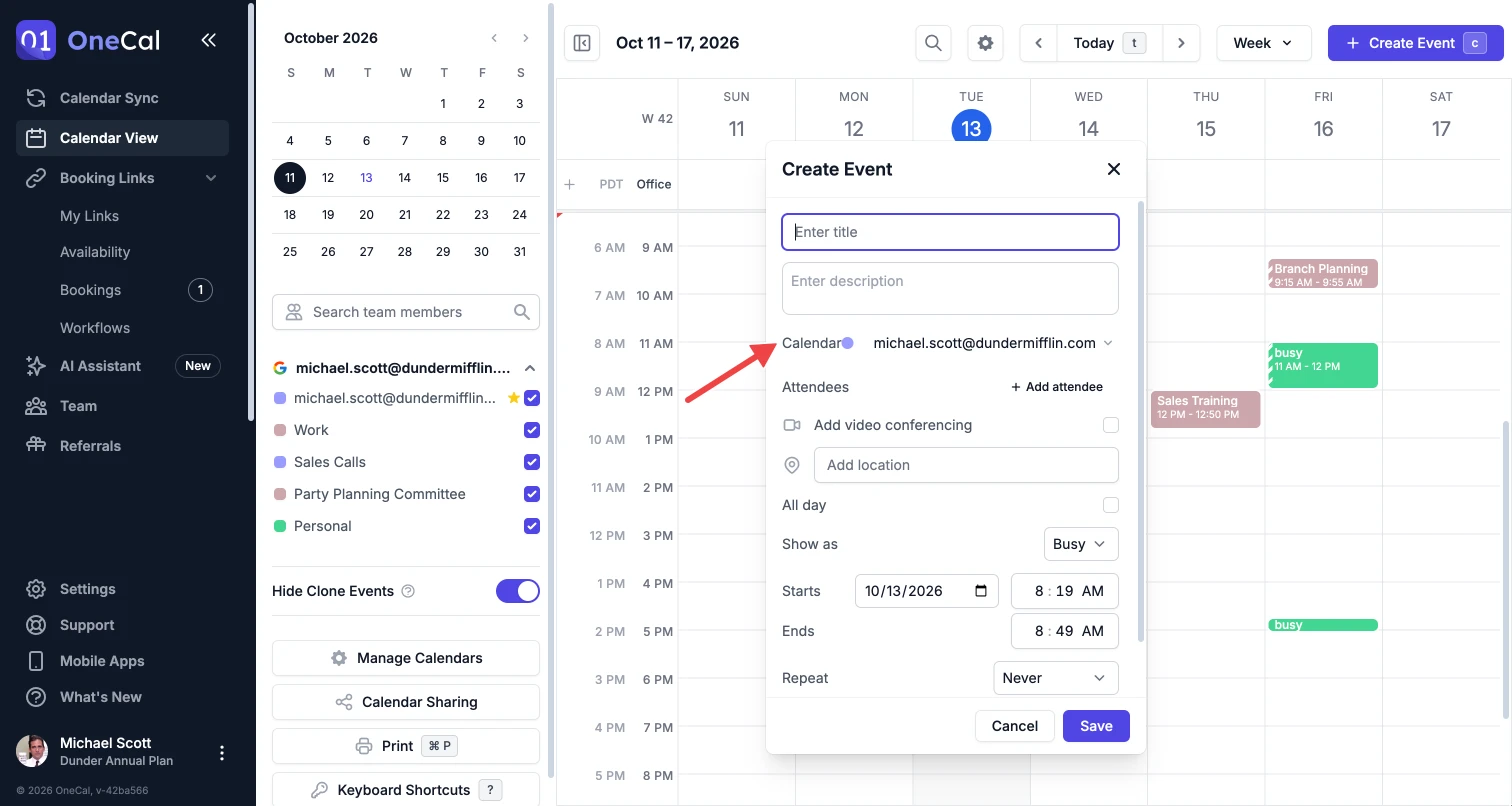
Your default calendar is also marked with a yellow star in the calendar sidebar. See Create Calendar Events.
In Booking Links
When you create a new booking link, OneCal sets its Add events to setting to your default calendar, which is marked with a yellow star in the Add events to menu. See Add Events To Calendar.
Changing your default calendar does not change your existing booking links, because each booking link keeps the calendar it already uses. To move an existing booking link to another calendar, edit its Add events to setting.
When no default calendar is set
If you choose None in the Default Calendar menu, OneCal picks a calendar for you:
- Unified Calendar View: The first calendar you can write to among the calendars you have selected in the sidebar.
- Booking Links: The first calendar you can write to from the calendar account you connected first.
The same rules apply if your default calendar is removed from OneCal or OneCal loses write access to it, until you choose a new default calendar.