Contact Support
We're happy to help with anything OneCal related. Our team typically responds within 24 hours.
Ways to reach us
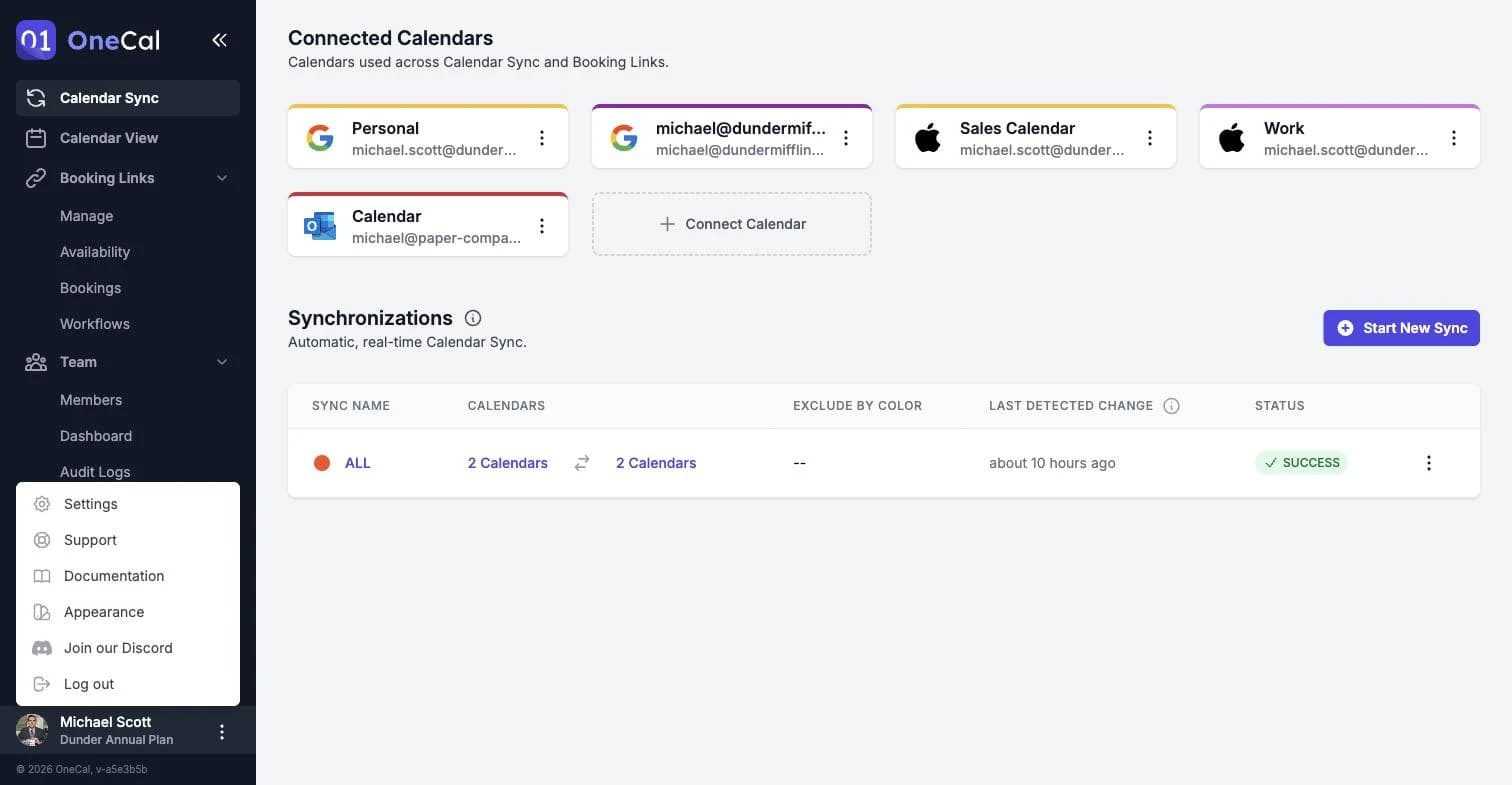
- In-app support form: Click Support at the bottom of the sidebar in the OneCal app. The form opens in a new tab with your OneCal account email prefilled, so we can find your OneCal account right away.
- Email: Write to us at contact@onecal.io.
- Contact form: You can also reach us through the contact form on our website at onecal.io/contact.
- Discord community: Join our Discord server from the menu on your avatar in the app, via Join our Discord.

Good To Know
The Premium and Enterprise plans include dedicated support. If you are on one of these plans and need a dedicated channel with our team, reach out and we will set it up.
What to include in your message
The more context you give us, the faster we can help. When reporting a problem, try to include:
- The email address of your OneCal account.
- What you were trying to do, and what happened instead.
- The name of the calendar sync or the booking link involved, if any.
- Screenshots of what you see, including any error message.
Letting us look at your OneCal account
For some issues, it helps if our support team can see your OneCal account the way you see it. You can grant and revoke this access yourself at any time, see Support Access and Impersonation.