Facturación y Planes
Pagos, Recibos y Correo de Facturación
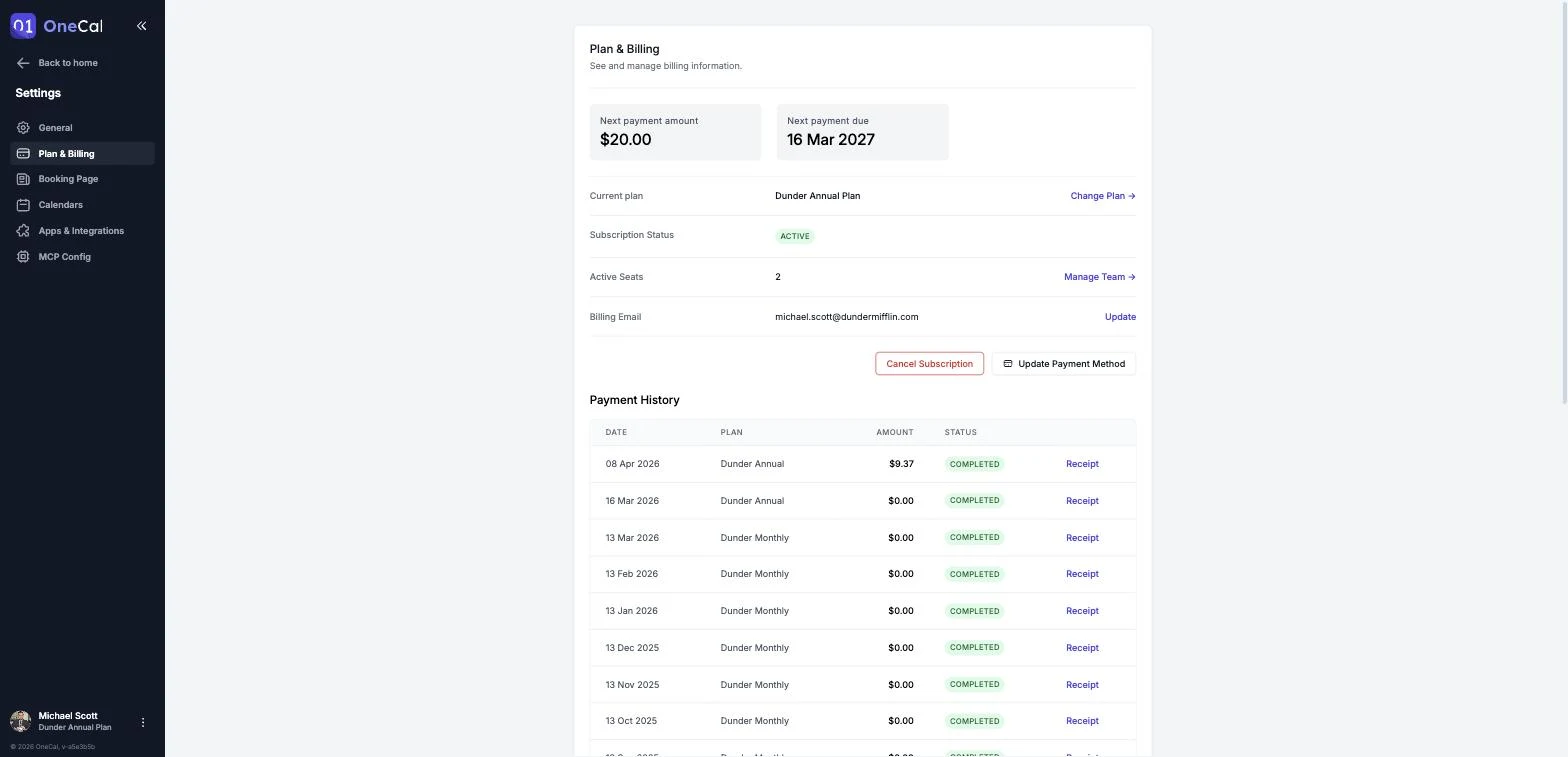
Toda la información de facturación se encuentra en Configuración → Plan y Facturación. Ahí puedes ver tu plan actual, el monto y la fecha del próximo pago, tus asientos activos, tu correo de facturación, y tu historial completo de pagos.

Los pagos son procesados de forma segura por nuestro proveedor de pagos, Paddle. Puedes pagar con cualquier tarjeta de débito, tarjeta de crédito o PayPal.
Es Bueno Saber
Solo los usuarios con el rol de Propietario, Administrador o Solo Facturación pueden ver y gestionar la facturación. Los Miembros no tienen acceso a la página de Plan y Facturación.
Historial de pagos y recibos
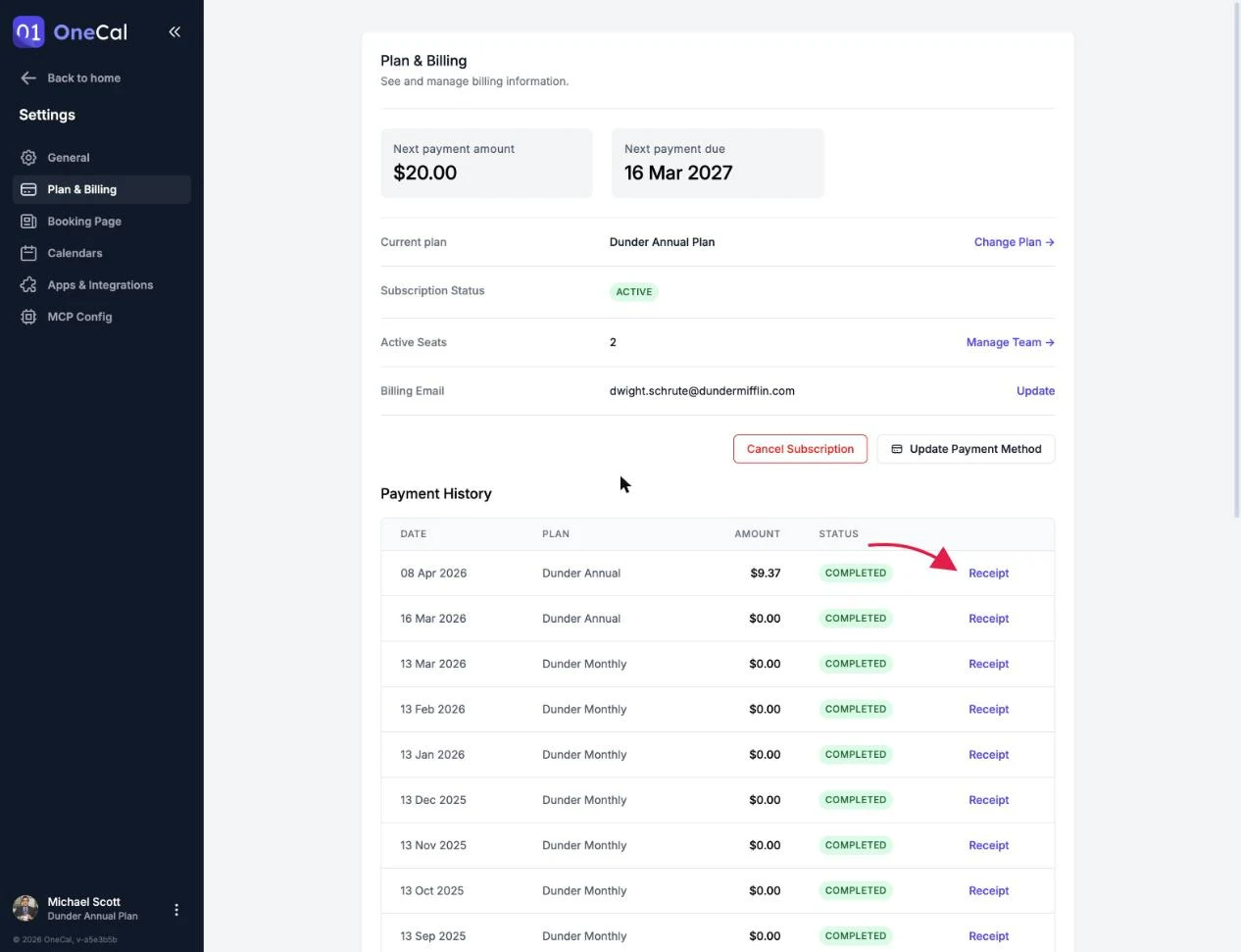
La sección de Historial de Pagos lista cada transacción con su fecha, plan, monto y estado. Haz clic en Recibo en cualquier fila para abrir el recibo de ese pago.
Actualizar tu método de pago
Haz clic en Actualizar Método de Pago en la página de Plan y Facturación. Serás dirigido a una página segura de Paddle donde puedes ingresar tu nueva tarjeta o cambiar a PayPal. Tu suscripción no se interrumpe mientras actualizas el método de pago.
Correo de facturación
Tu correo de facturación se muestra en la página de Plan y Facturación. Esta es la dirección que recibe los recibos de pago.
El correo de facturación no se puede actualizar desde la aplicación. Para solicitar un cambio de correo de facturación, por favor contáctanos por correo electrónico y lo actualizaremos por ti.
Pagos fallidos
Si un pago falla, el estado de tu suscripción cambia a Vencida. Seguimos reintentando el pago automáticamente. Para evitar cualquier interrupción, asegúrate de que tus datos de pago estén actualizados.
Si el pago sigue fallando, la suscripción se pausa. Mientras está pausada, tus sincronizaciones se pausan y tus enlaces de reserva se deshabilitan. Actualizar tus datos de pago reactiva la suscripción.
Facturación por usuario y asientos de equipo
Los planes de OneCal se facturan por usuario. Cuando un miembro del equipo acepta una invitación, se te cobra al final de ese día, de forma prorrateada, por el período restante del ciclo de facturación.
Cuando eliminas a un miembro, la porción no utilizada de su asiento se acredita a tu suscripción. Los usuarios con el rol de Solo Facturación son gratuitos y no cuentan como asientos de pago.