Add an Identifier to Clone Events
When OneCal copies events between your calendars, you can add a short text Identifier to the clone events, so you can always tell clone events apart from original events at a glance.
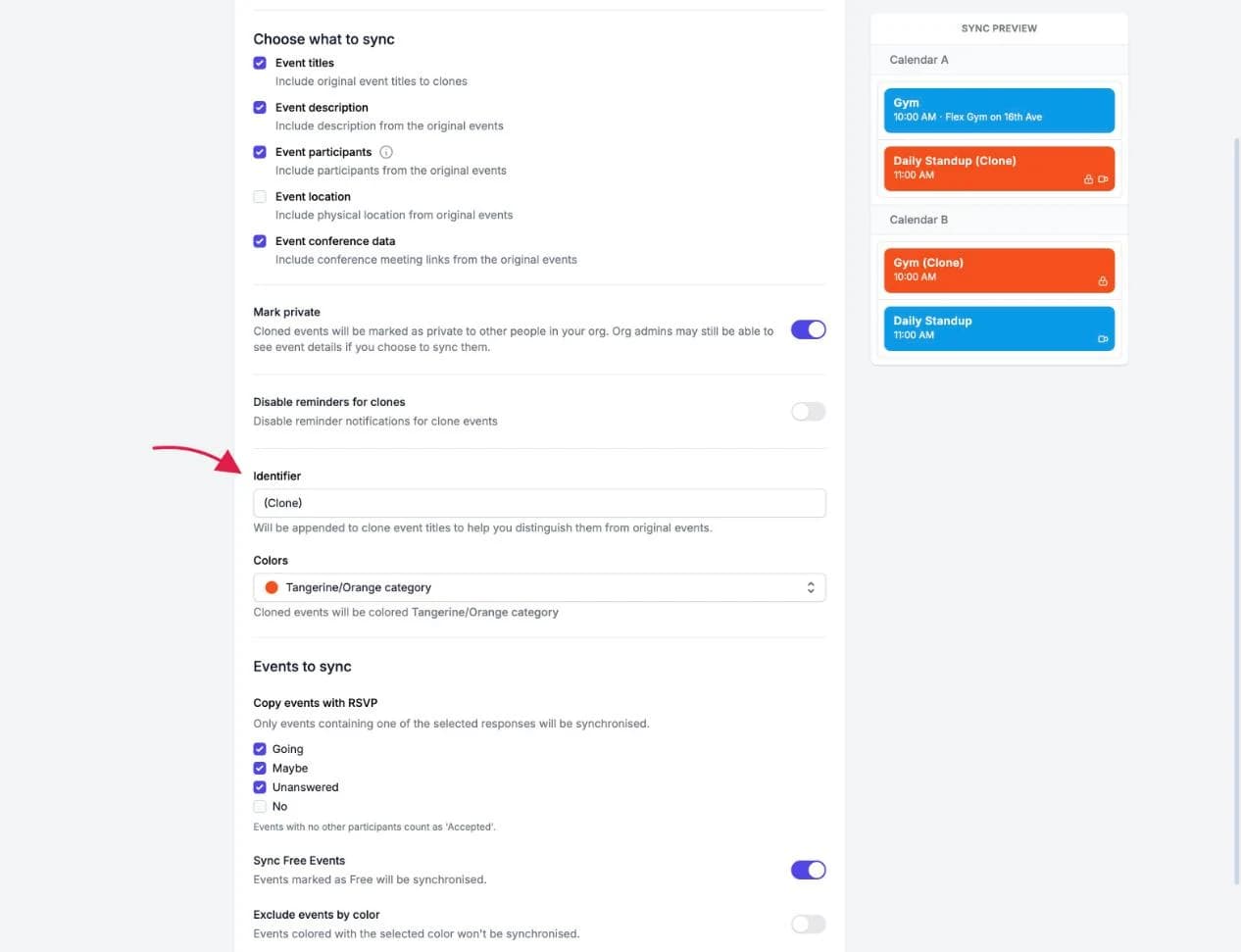
You can set the Identifier in the Sync Configuration step when creating a calendar sync, or when editing an existing calendar sync.

How the Identifier works
- When Include original event titles to clones is enabled, the Identifier is appended to the clone event's title. For example, an event named "Gym" becomes "Gym (Clone)" on the target calendar.
- When original event titles are not synced, the Identifier acts as the full title of every clone event, "Busy" by default. See Sync Event Titles, which covers the same Identifier field from the event-title side.
The default Identifier is "(Clone)", and you can change it to anything you like, up to 100 characters.
Good To Know
The Identifier is also what makes features like hiding clone events in the Unified Calendar View possible, and it helps your coworkers understand why a clone event appears on your work calendar.