Sync Event Titles
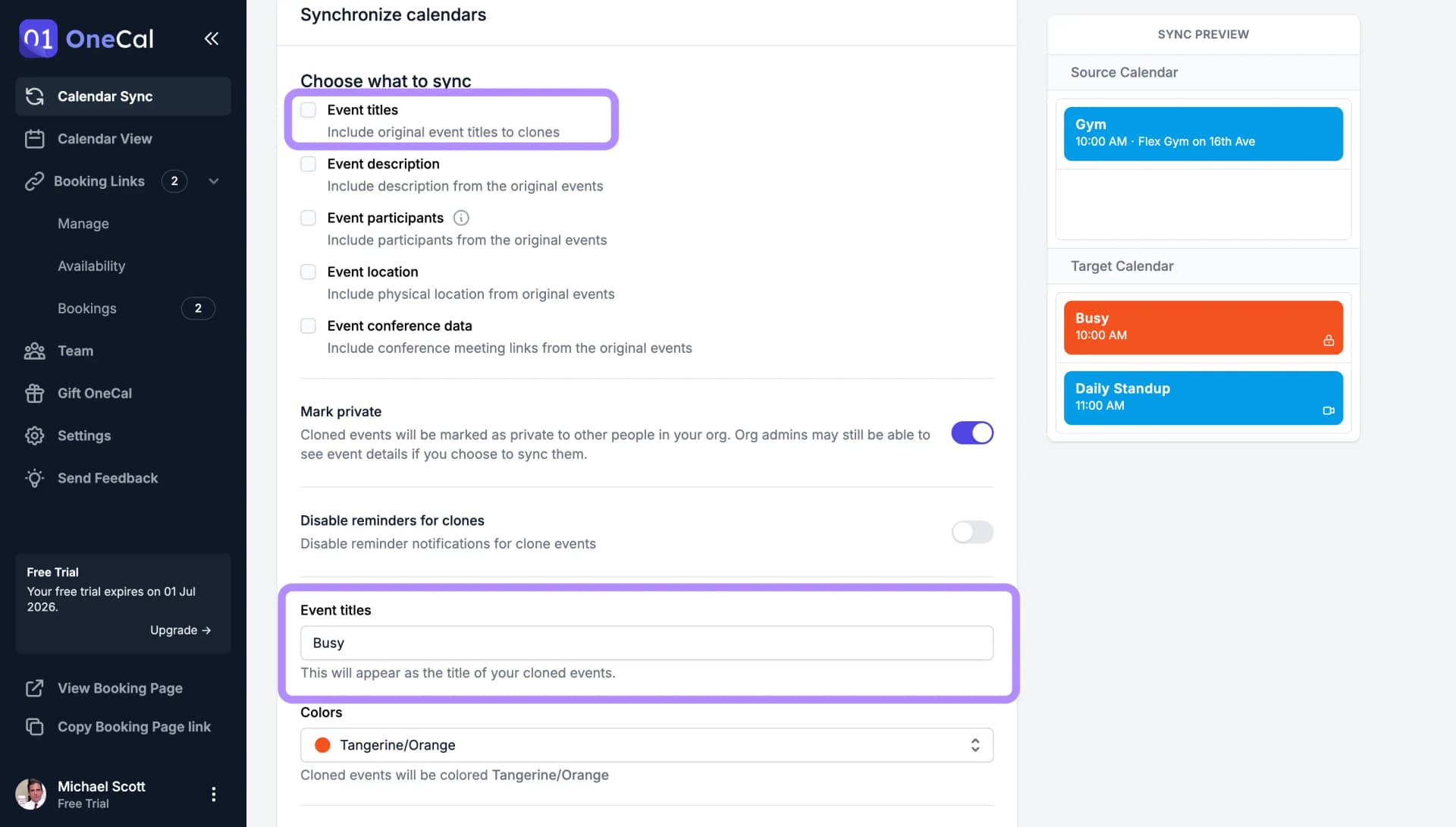
Include original event titles in clone events, or choose to completely hide the titles and show a custom message instead.
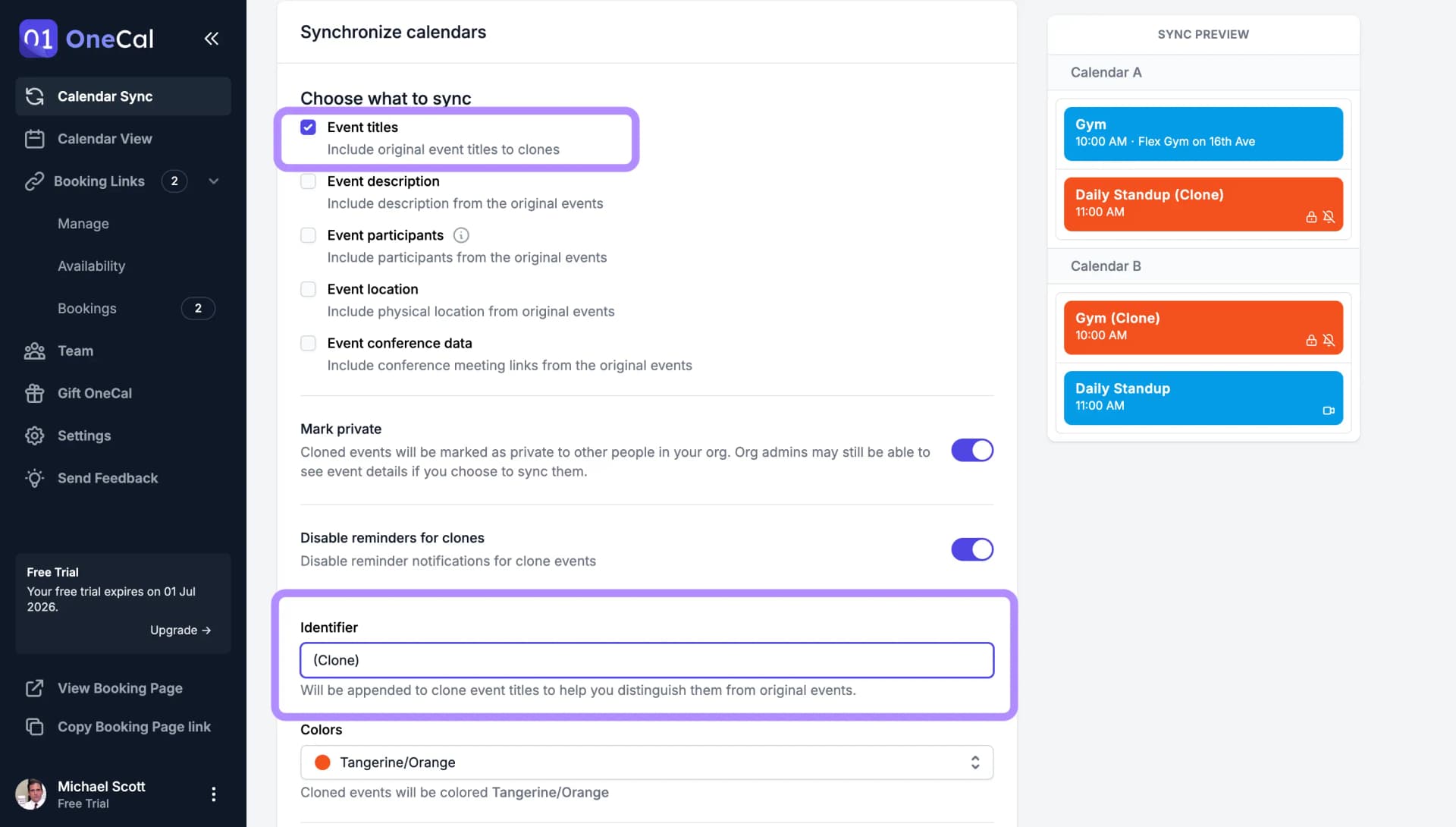
Sync the event title, and append an Identifier
When original event titles are synced, OneCal copies each original event's title to the clone event and appends the Identifier to it, so an event named "Gym" becomes "Gym (Clone)" on the target calendar. The Identifier is the same field covered in Add an Identifier to Clone Events.

Pro Tip
If you don't want to append an Identifier to clone event titles, you can leave the Identifier field empty, and OneCal will clone the titles as they are.
Don't sync the event titles, add a custom title
When original event titles are not synced, every clone event gets the same custom title instead, and the Identifier field supplies that title, "Busy" by default. See Add an Identifier to Clone Events for the full behavior of that field.