Liens de Réservation
Rediriger après réservation
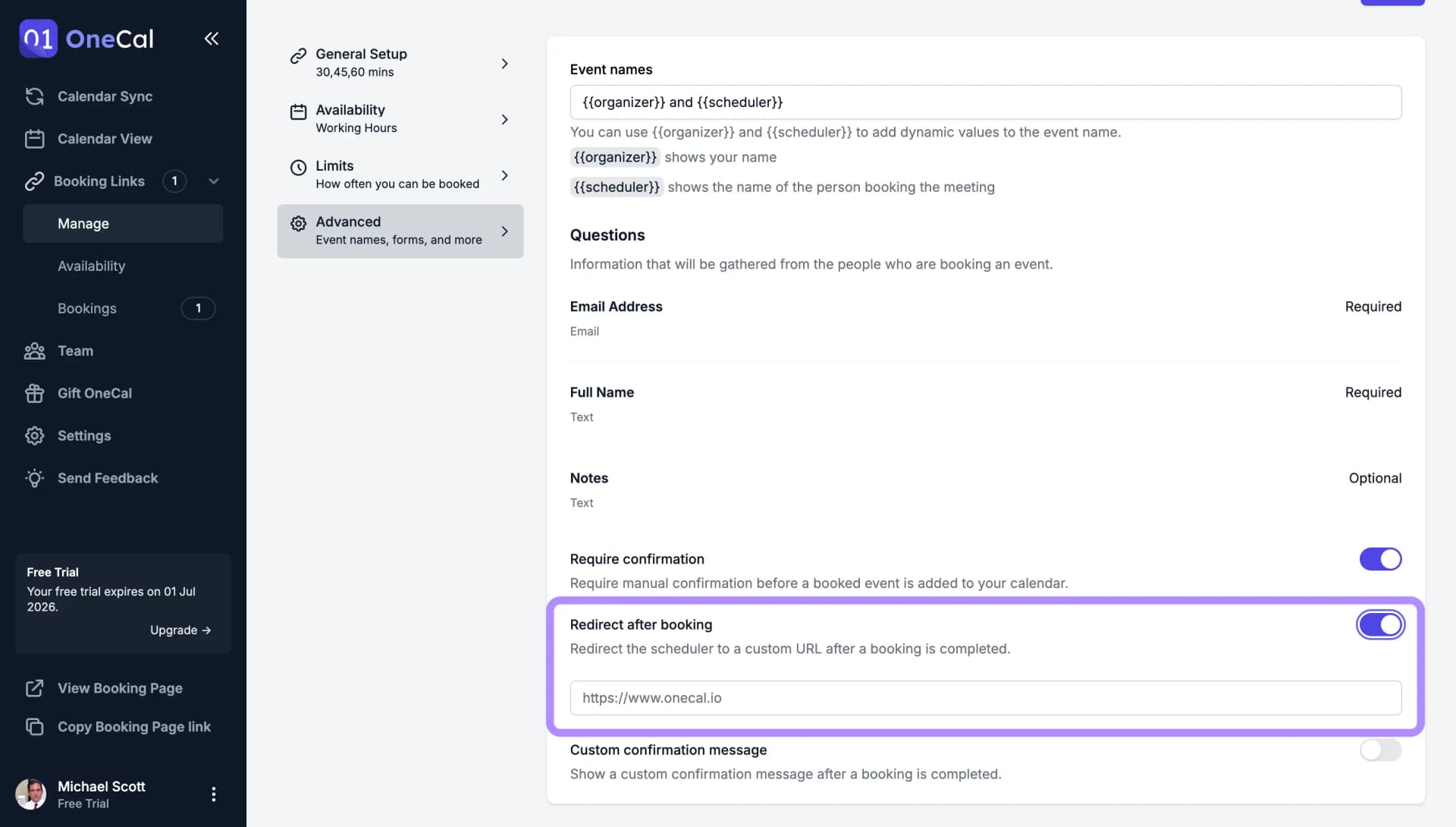
Au lieu d'afficher l'écran de confirmation standard, vous pouvez envoyer les personnes qui réservent vers n'importe quelle URL une fois leur réservation terminée. C'est pratique pour les pages de remerciement, les instructions d'intégration, les formulaires d'admission, ou toute page que vous voulez montrer juste après la réservation.
Pour le configurer :
- Ouvrez votre lien de réservation et allez dans l'onglet Avancé.
- Activez Rediriger après réservation.
- Entrez l'URL de redirection et enregistrez le lien.
À partir de maintenant, chaque personne qui réserve arrive sur votre page dès que sa réservation est terminée.

Bon à savoir
Si vous voulez simplement afficher un court message au lieu d'envoyer les gens vers un autre site, utilisez plutôt un Message de confirmation personnalisé.