Custom Event Names
Custom event names let you pull information from the booking straight into the calendar event's title. Instead of the standard "{{organizer}} and {{scheduler}}" format, you can build a title that tells you what the meeting is about at a glance.
You set the event name on the booking link, under the Advanced tab, in the Event names field.

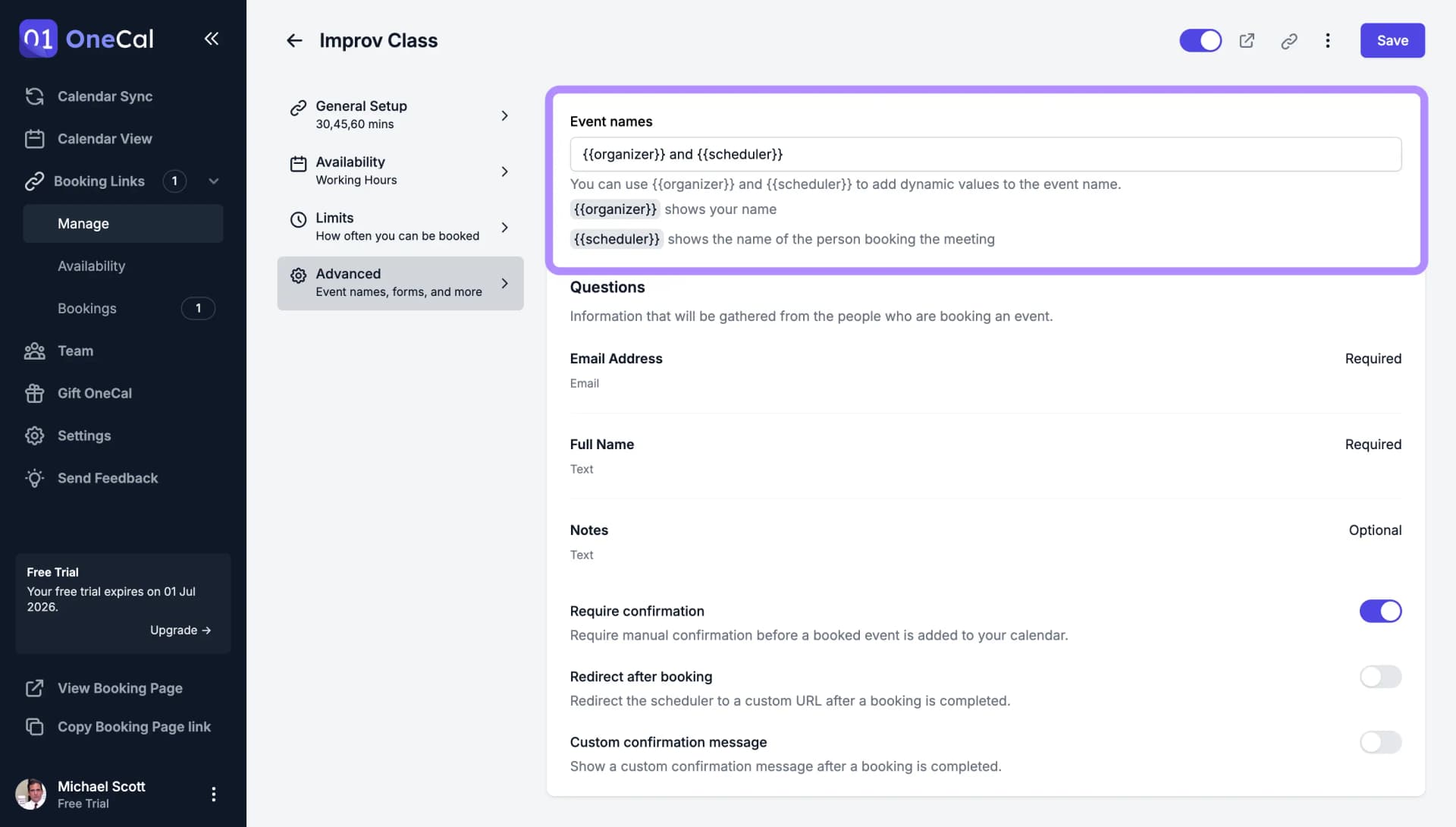
Built-in template values
Two template values are always available:
{{organizer}}shows your name, as the host of the booking link.{{scheduler}}shows the name of the person booking the meeting.
Use your custom questions in the event name
Every custom question on the booking link is also available as a template value, so you can put the scheduler's own answers into the event title.
Copy the template value from the list under the Event names field rather than typing it yourself. OneCal generates a template value for each question, and it is not simply the question label: a question labelled "Why are you the way that you are?" becomes {{why-are-you-the-way-that-you-a}}, and "Additional Notes" becomes {{additionalNotes}}. The list under the field shows every available template value next to the question it belongs to. Use Show and Hide to expand and collapse it.
So an event name like this:
{{scheduler}} - {{additionalNotes}}
produces an event titled:
Ada Lovelace - Kickoff for the new analytics project
Good To Know
Use required questions in your event names wherever you can. When a scheduler leaves an optional question blank, its template value is replaced with an empty string, so the event title keeps the surrounding text but loses the answer.
If you rename or delete a question, check the Event names field afterwards. Its template value may change or stop resolving.