Auto-Invited Guests
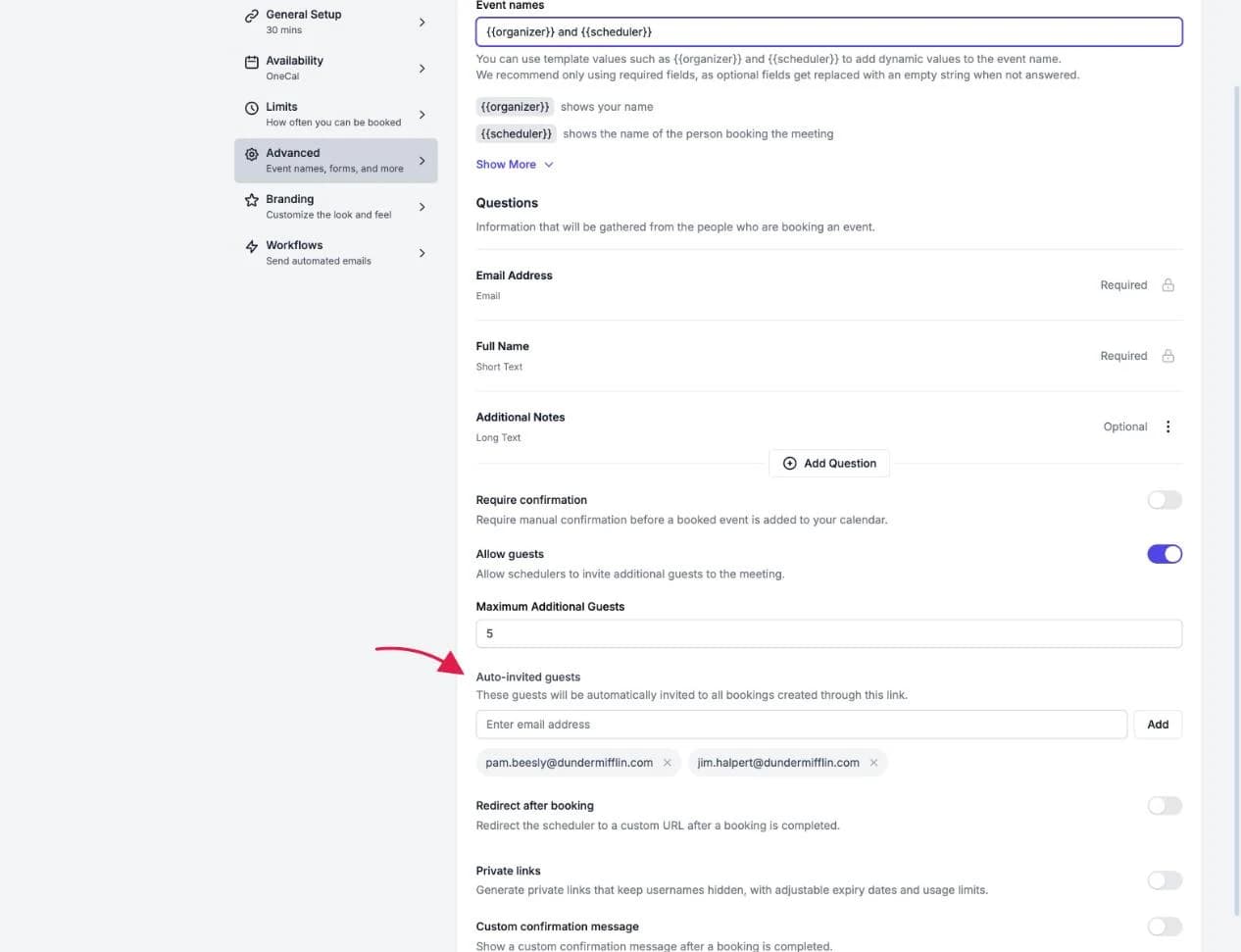
Auto-invited guests are people who are automatically added to every booking created through a booking link. Use this to always include an assistant, a teammate, or a shared mailbox in meetings booked through that link.
Add auto-invited guests
- Open your booking link and go to the Advanced tab.
- Find Auto-invited guests.
- Enter an email address and click Add. Repeat for as many guests as you need.
- Save the booking link.
From now on, every booking on this link includes these guests as attendees, and they receive the calendar invite automatically.

Good To Know
Auto-invited guests are set by you, the host, and apply to every booking on the link. This is different from Allow Guests, which lets the scheduler add their own additional guests when booking. The two settings are independent, and you can use both at once.