Plans and Free Trial
OneCal offers three plans, Starter, Essential and Premium. All plans are billed per team member, and you can choose between monthly and yearly billing. Every new OneCal account starts with a 14 day free trial, no credit card required.

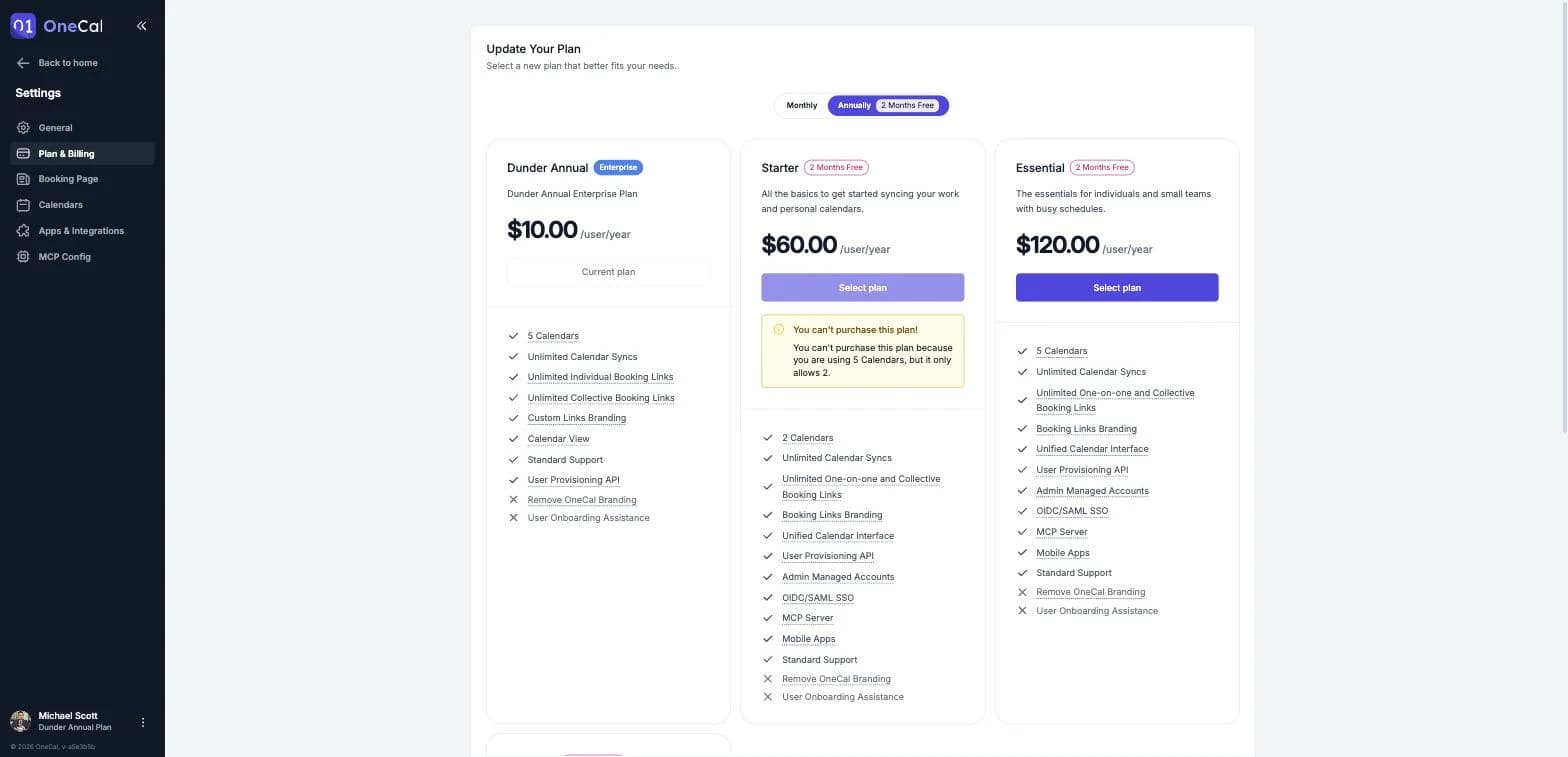
What each plan includes
All plans include unlimited calendar syncs, unlimited one-on-one and collective booking links, booking links branding, and the Unified Calendar View.
The main difference between the plans is the number of calendars each team member can connect:
- Starter: Up to 2 calendars per team member.
- Essential: Up to 5 calendars per team member.
- Premium: Up to 50 calendars per team member.
The Premium plan also includes the ability to remove OneCal branding from your booking pages, dedicated support, and user onboarding assistance.
Good To Know
Some features, such as OIDC/SAML SSO, the User Provisioning API, the MCP Server and Admin Managed Accounts, are enabled on request. If you need one of them, please contact us and we will activate it for your team.
If you need to connect more than 50 calendars per team member, or you have custom requirements, contact us to discuss an Enterprise plan.
Monthly and yearly billing
You can pay monthly or yearly. Yearly billing gives you 2 months for free compared to paying month by month.
All prices are in USD and are charged per team member. Additional taxes may apply depending on your country.
The 14 day free trial
Every new OneCal account starts with a free trial that lasts 14 days. You do not need to enter a credit card to start the trial, and you can use OneCal normally during this period.
When the trial expires:
- All your calendar syncs stop and show the status Subscription expired, and the clone events that OneCal created are removed from your calendars.
- All your booking links are disabled, so schedulers can no longer book time with you.
As soon as you purchase a plan, your calendar syncs are resumed and your booking links are enabled again. The resumed syncs re-create the clone events automatically.
Add a trial expiration reminder
If you don't want to lose your calendar syncs when the trial ends, OneCal can add a reminder event to one of your calendars.
Click Add Reminder on the trial banner, choose a calendar, and OneCal creates an all day event named "OneCal Trial Expiration Reminder" on the day your trial expires. The event is marked as free, so it does not block your availability.