Team
Transfer Ownership
Transfer Ownership
Every team has exactly one Owner. The Owner can hand the team over to another team member at any time. After the transfer, the new Owner manages the team, its plan and its billing, and the previous Owner becomes an Admin.
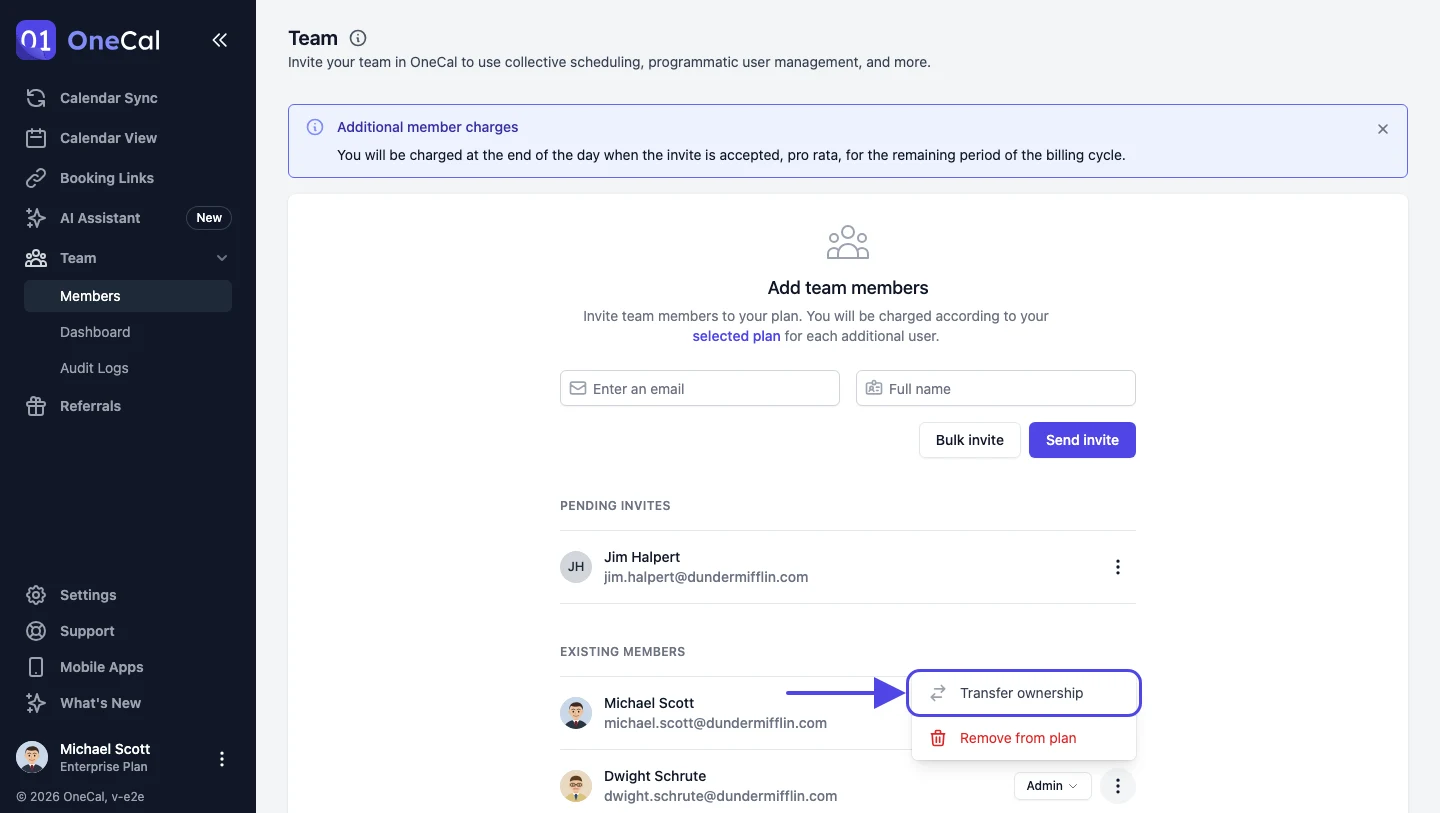
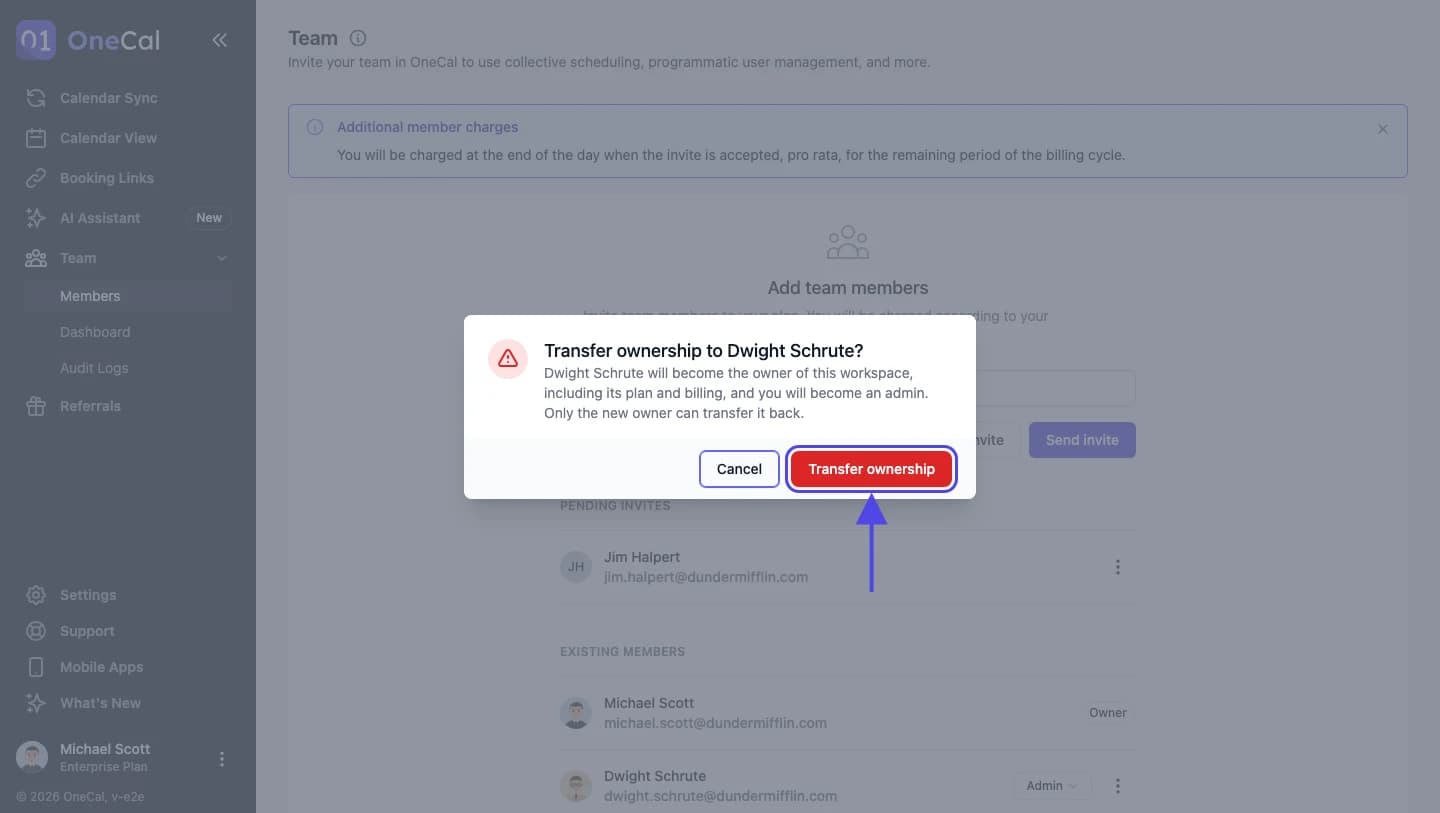
To transfer ownership:
- Go to the Team page.
- Open the three dots menu on the row of the team member who should become the Owner.
- Click Transfer ownership.
- Read the confirmation and click Transfer ownership again.

Good To Know
Only the Owner can transfer ownership, and only to an Admin or a Member. A Billing Only member must be given another role first, because the Owner always takes up a paid seat. Once the transfer is done, only the new Owner can transfer the team back to you.