Recurring Events
The Unified Calendar View supports recurring events on all your calendars, whether they are on Google, Outlook or iCloud.
Create a recurring event
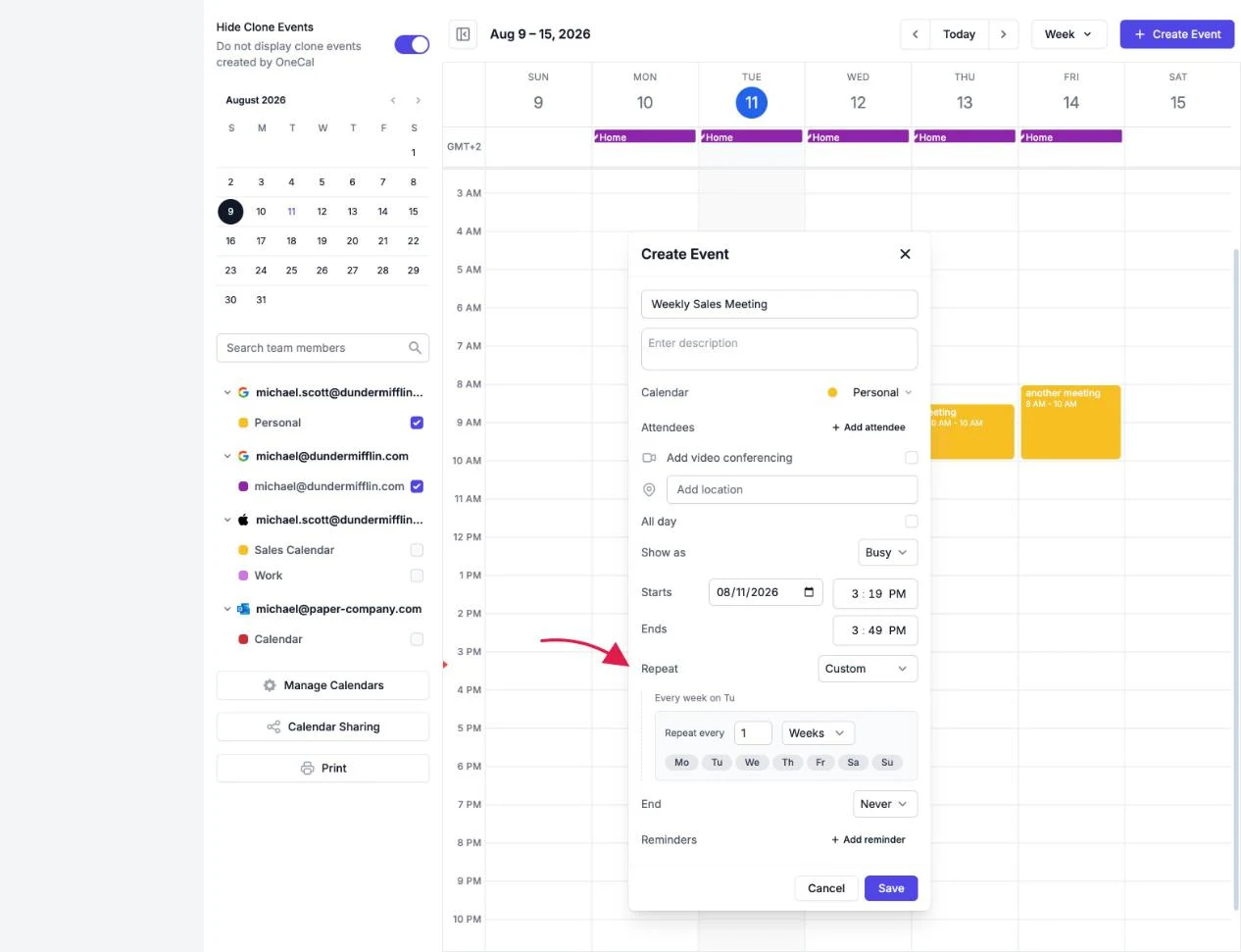
When creating or editing an event, use the Repeat field. You can choose Every day, Every week, Every month, Every year, or Custom.
The custom option gives you full control:
- Repeat every: Any interval, for example every 2 weeks.
- Days of the week: For weekly recurrences, pick exactly which days the event repeats on.
- End: Let the event repeat forever, or end on a specific date.

Edit or delete one occurrence, or the whole series
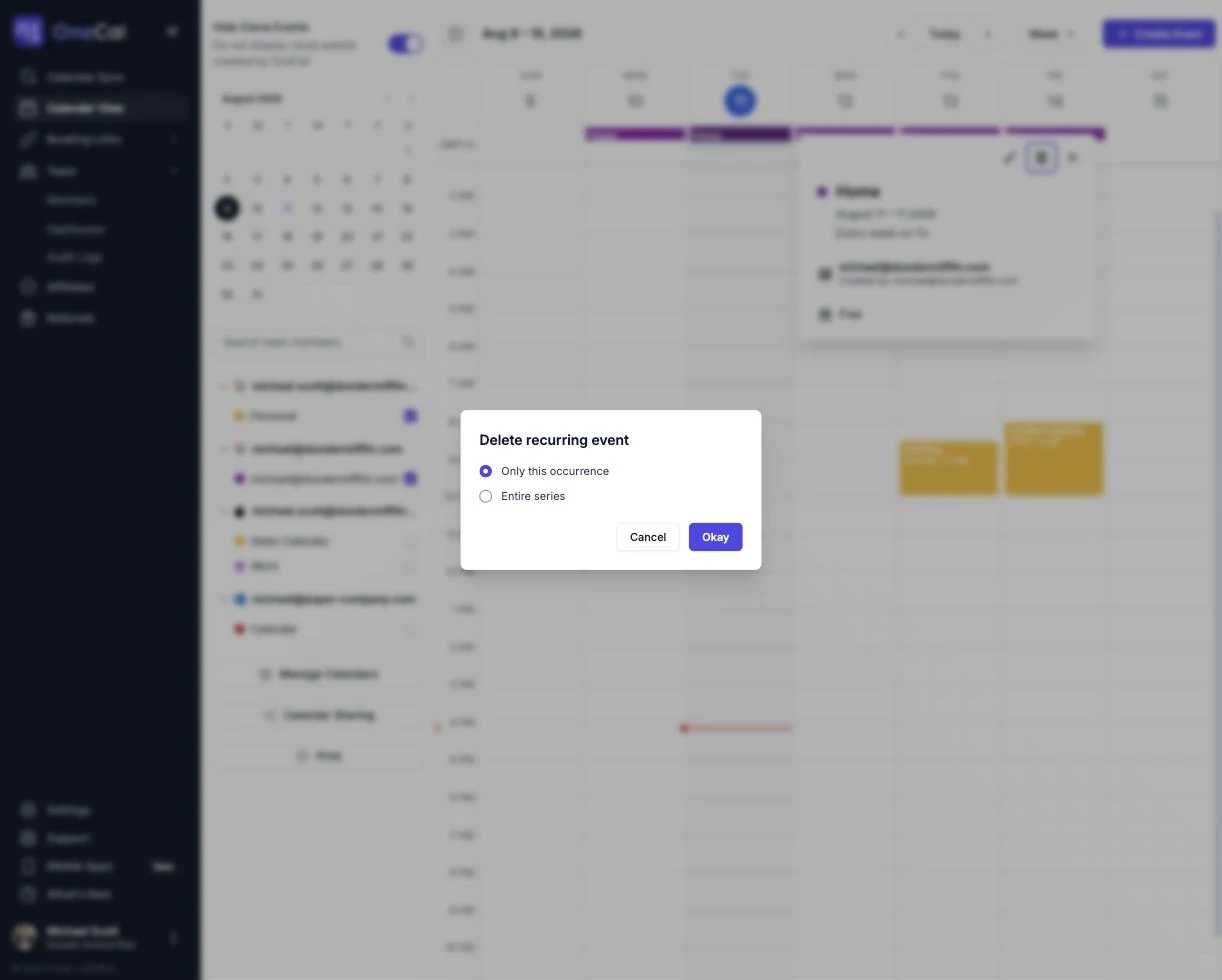
When you save changes to a recurring event, delete it, or RSVP to it, you choose whether the change applies to Only this occurrence or to the Entire series.
Good To Know
Recurrence rules themselves, for example changing weekly to monthly, can only be edited on the entire series, not on a single occurrence.