Event Reminders
You can set reminders on events you create or edit in the Unified Calendar View, so you get notified before the event starts.
Add reminders
In the event form, find the Reminders section and click Add reminder. Each reminder has an amount and a unit, minutes, hours, days or weeks before the event starts. The first reminder defaults to 10 minutes.

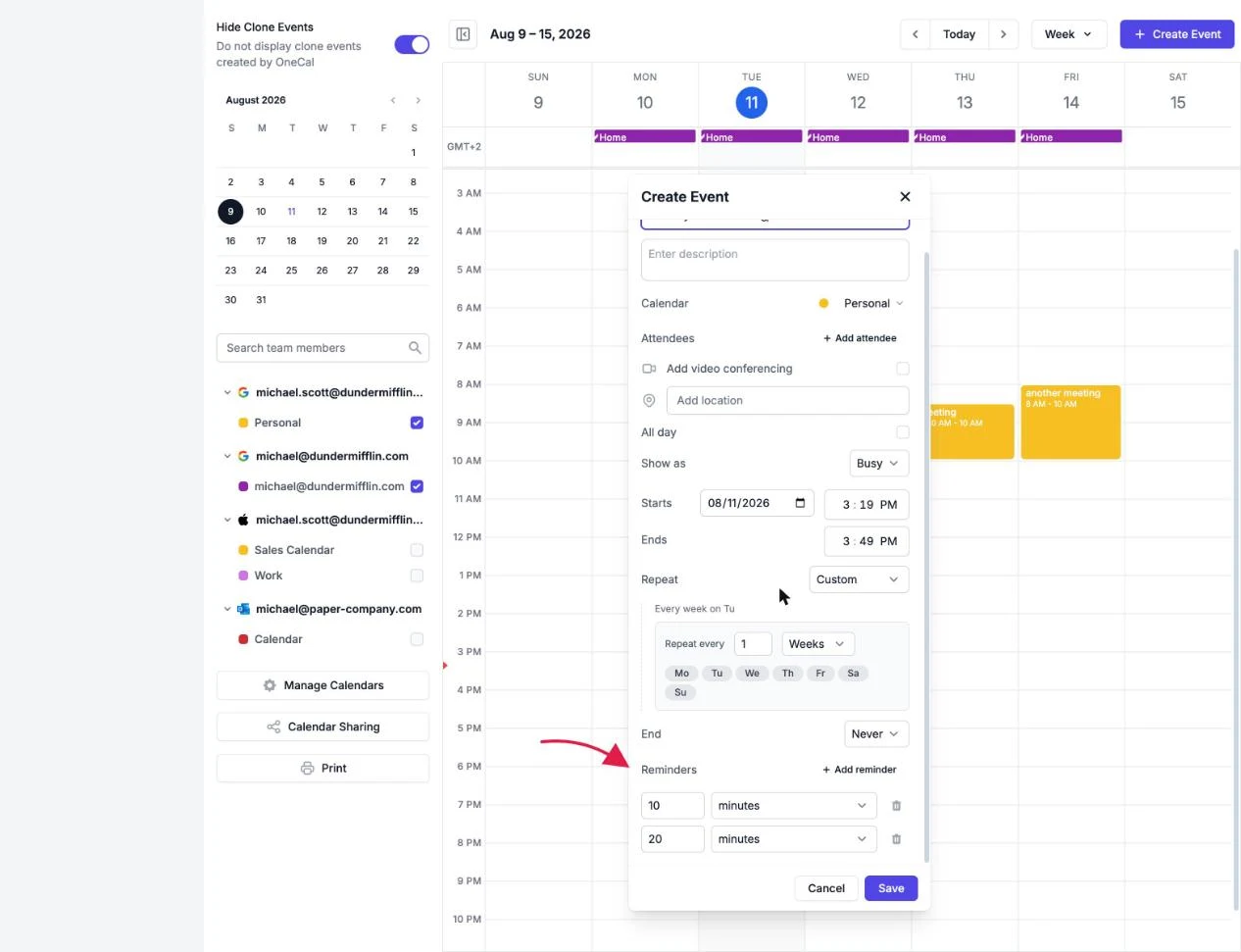
If you don't add any reminders, the event uses the default reminders of the calendar the event is created on.
Provider differences
- Google and iCloud calendars support multiple reminders per event.
- Outlook calendars support a single reminder. OneCal only lets you add one reminder on Outlook events, and if an event somehow has more, only the first is saved.
Good To Know
Reminders are personal. When you are an attendee on someone else's event, you can still set your own reminders without affecting the other participants.
Reminders on your phone
The OneCal mobile apps can send you a push notification before an event starts. The timing follows the reminders on the event, or the calendar's default reminders when the event has none. Turn on Event reminders under the app's Settings, in the Notifications section.