Private Booking Links
Hosts can generate private links that keep usernames hidden, with adjustable dates and usage limits.
You can use the Private Booking Links as
- One-time booking links
- Links that are meant to expire after some time
- Links that are meant to be used a couple of times.
How to generate a prefilled Booking Link URL?
- Open the Booking Links page on the dashboard
- Click the three dots icon on the Booking Link you want to generate a private link for.
- Click 'Generate private link'

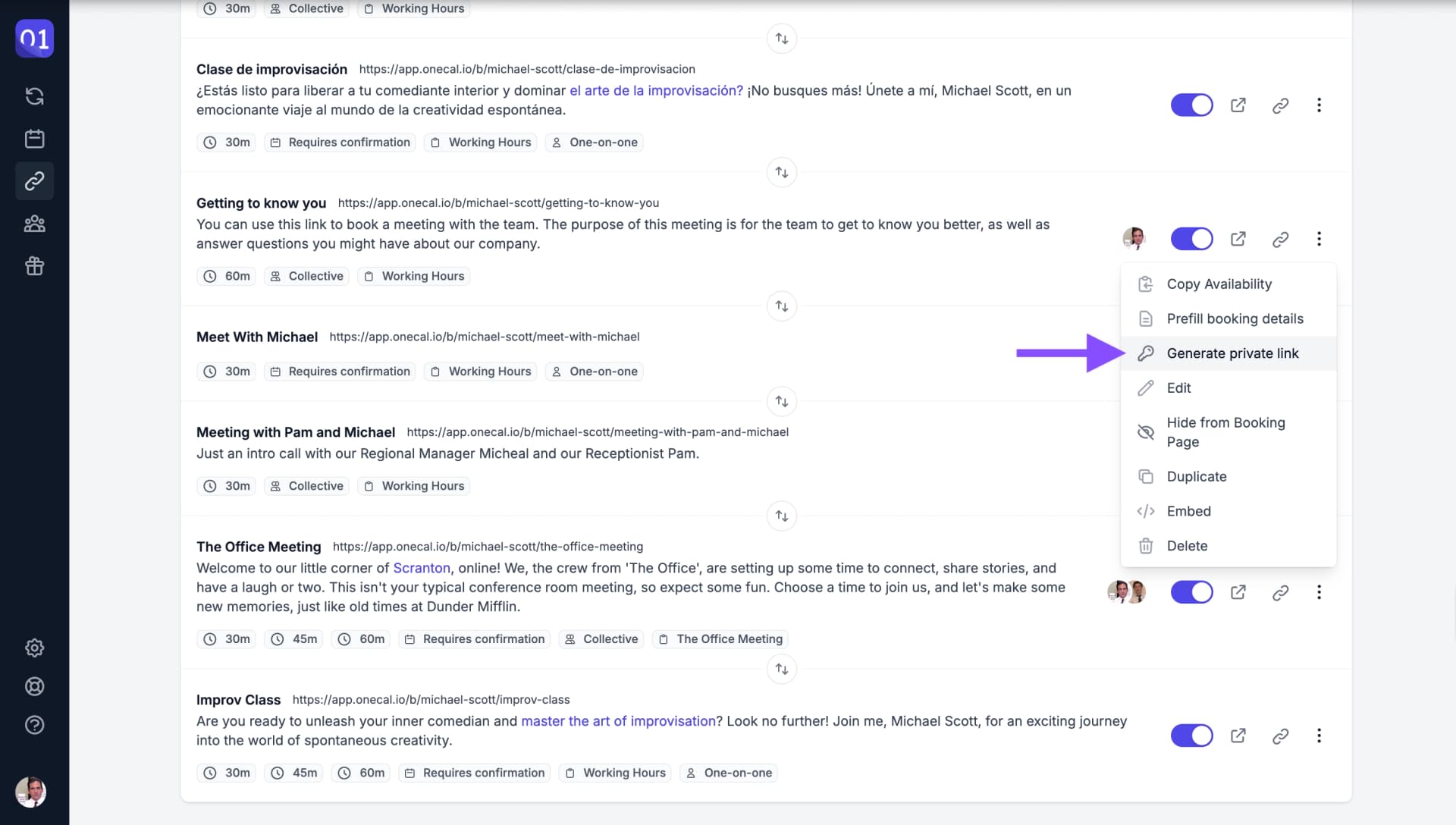
Generate private link option - Enable the "Private links" toggle.
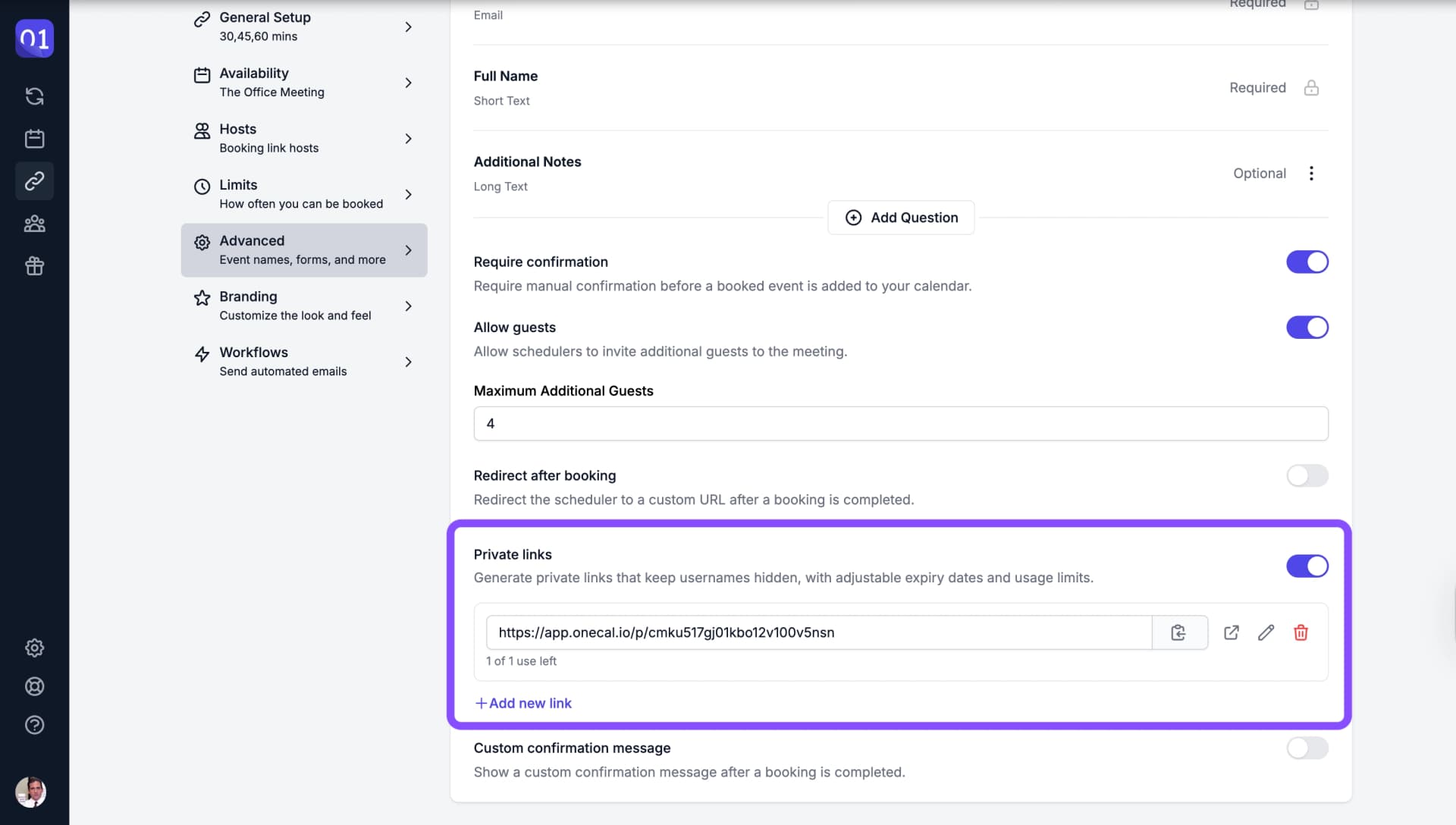
UI enabling a private link - Edit the private link. You can set it to as "Usage-based expiration" or "Time-based expiration"
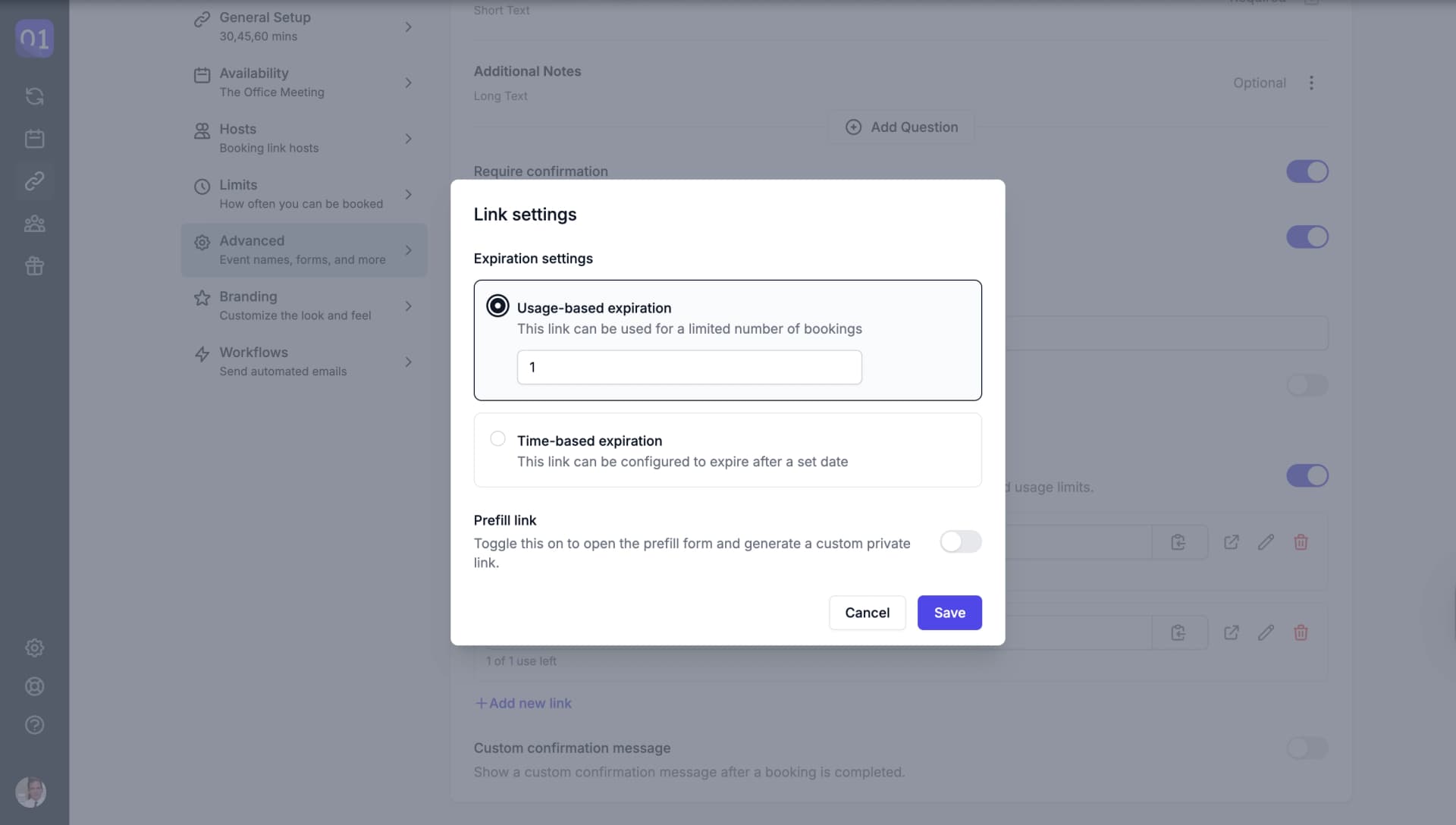
Edit Private Link UI
Prefill Private Links?
A prefilled Private Booking Link is the same as a normal booking link, with the difference that some information is prefilled for the scheduler. After generating the prefilled Booking Link URL, you can copy it and share it with your scheduler as usual.
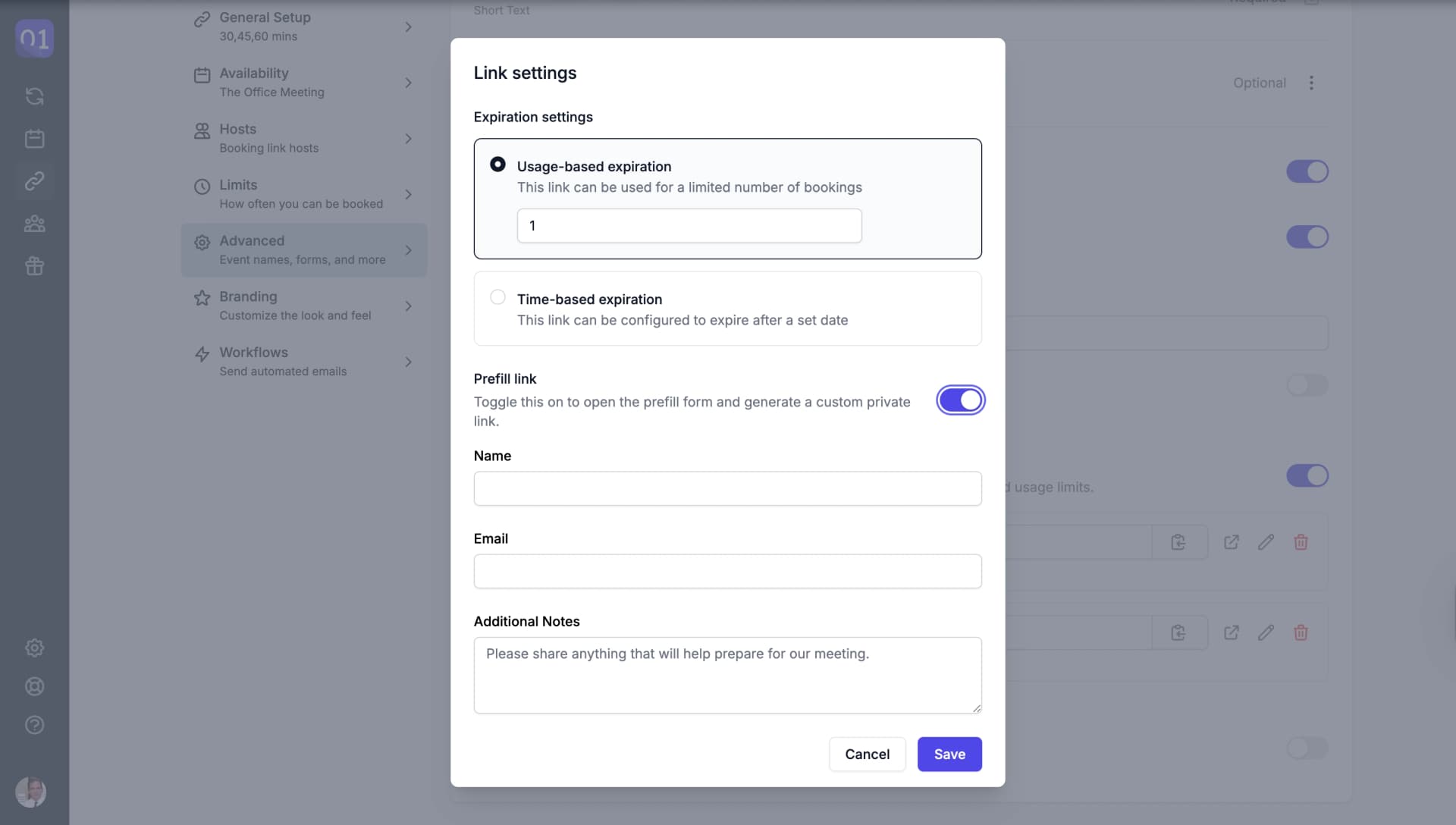
Good To Know
You don’t need to fill out every field — just one or more, as needed. You can pre-fill details like name, email, or custom fields before sharing the booking link, making it quicker and easier for the scheduler to complete the booking.