Multiple Durations
You don't need separate booking links for a 15 minute intro call and a 1 hour deep dive. A single booking link can offer several durations, and the scheduler picks the one they need when booking.
To set it up:
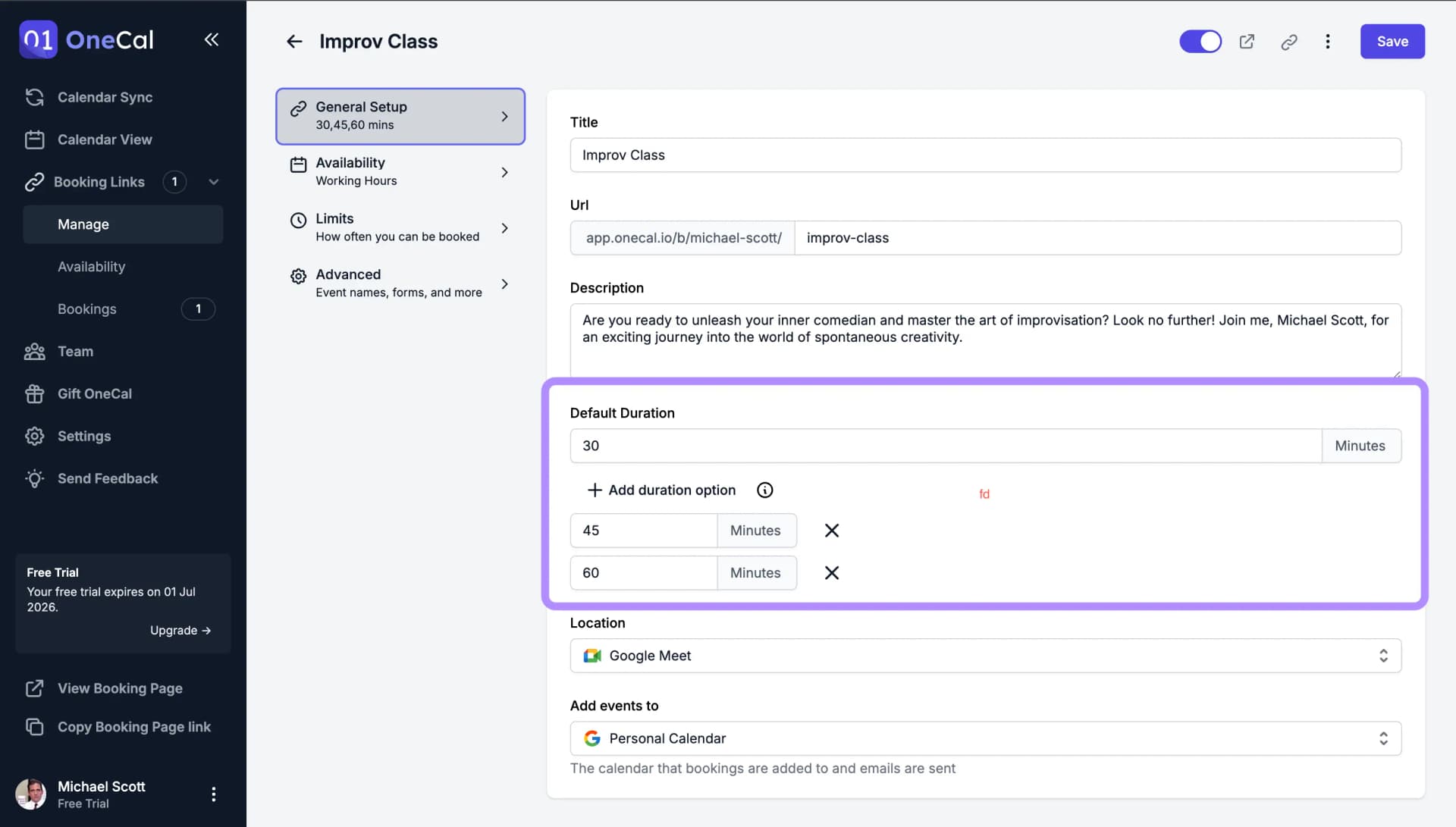
- Open your booking link and go to General Setup.
- Under Duration, click Add duration option for each extra length you want to offer.
- Save the link.
On the booking link's page, the available durations are shown to the scheduler, who chooses one before picking a time. The available time slots adjust automatically to the chosen duration, respecting your availability, buffers and notice period.

Good To Know
Slot start times follow your Time Slot Intervals setting, regardless of which duration the scheduler picks.
Share a link with a duration preselected
If you already know how long a specific call should be, you can share a link that opens with that duration already selected. The scheduler does not have to pick it themselves.
Add the duration parameter to your booking link URL, with the length in minutes. For example, https://app.onecal.io/b/your-page/your-link?duration=60 opens the link with the 60 minute option selected.
You do not have to type the parameter yourself. Switching durations on the booking page updates the URL in the browser address bar, so you can open your own link, pick the duration, and copy the URL from there.
The scheduler can still switch to another duration after opening the link. If the value in the URL does not match one of the link's durations, the default duration is used instead.