Embed Booking Links to your website
You can now copy a piece of code, paste it into your website, and voila, your Booking Link is embedded into your website. Your visitors can now book you directly from your website.
How to embed a Booking Link to your website?
- Open the Booking Links page on the dashboard
- Click the three dots icon on the Booking Link you want to embed on your website.
- Click 'Embed'

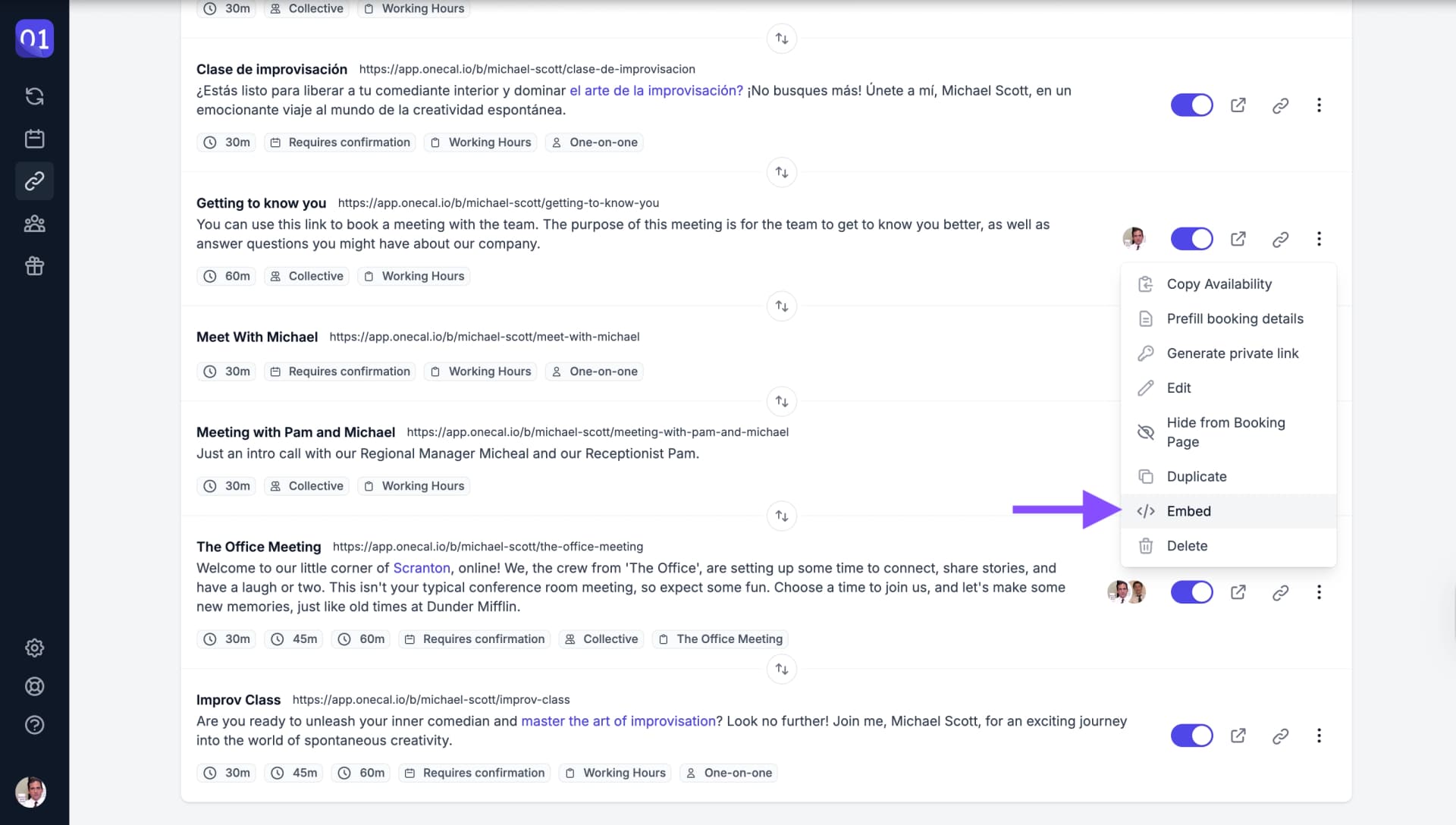
Embed booking link option - Copy the provided code.
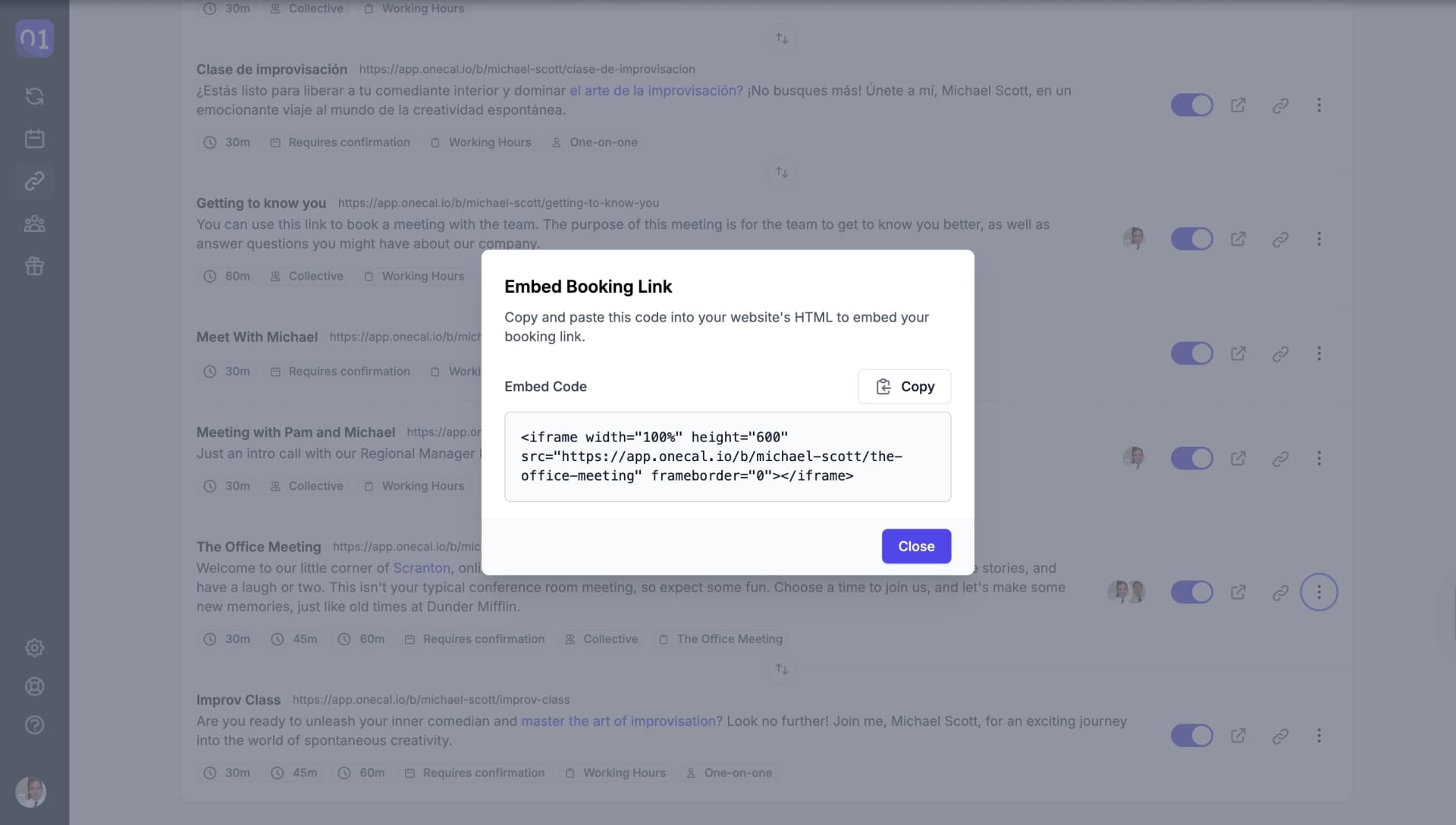
UI enabling a private link - Paste the code into your website's HTML.