Delete Your Account
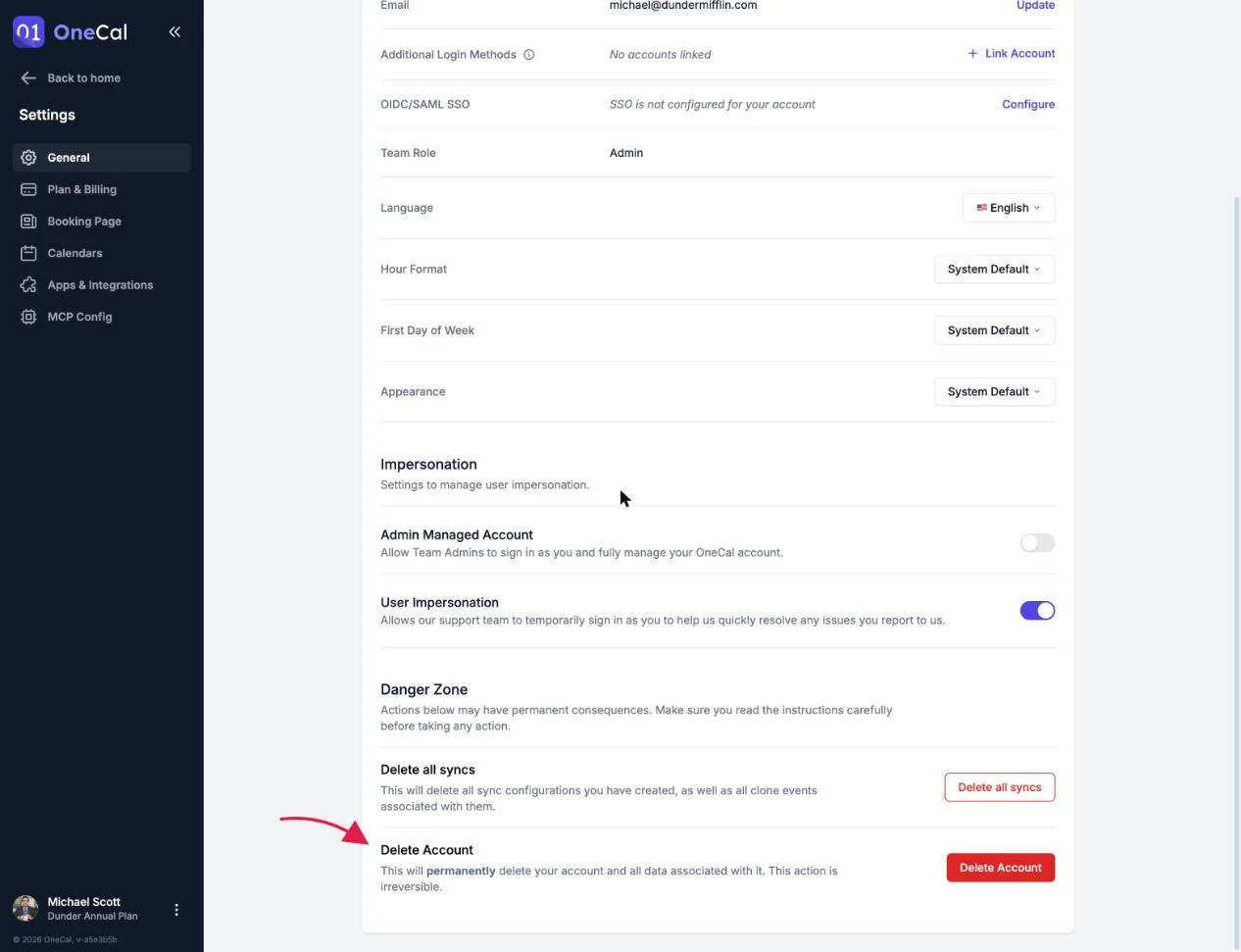
You can permanently delete your OneCal account from Settings, in the Danger Zone section at the bottom of the page. Deleting your OneCal account removes all data associated with it, and it cannot be undone.

Before you can delete
OneCal asks you to tidy up first, so nothing is deleted by surprise:
- Remove your calendar syncs: Delete your calendar sync configurations first. You can delete them one by one from the Calendar Sync page, or use Delete all syncs in the Danger Zone, which also removes all clone events from your calendars.
- Remove your team members: If you are the team Owner and other members are still on your plan, remove them first.
- Cancel your subscription: If you have an active paid subscription, cancel it first.
Delete the OneCal account
- Click Delete Account in the Danger Zone.
- Type your exact email address in the confirmation field.
- Click Confirm Delete.
Your OneCal account, calendars, calendar syncs, booking links, bookings and settings are permanently deleted, and you are signed out.
Good To Know
Deleting your OneCal account never deletes your original events at Google, Outlook or iCloud. Only OneCal's data, including the clone events OneCal created, is removed.